
 17 minutes read
Forget the outdated image of a glorified typist scheduling coffee runs. The modern legal secretary is the operational backbone of a thriving law firm, a master of chaos, and the guardian of billable hours. This role has evolved, and hiring based on a decades-old job description is a recipe for mortgaging your office ping-pong table to cover inefficiency costs. If you've ever found yourself drowning in admin instead of practicing law, you already know the stakes.
Hope you enjoy spending your afternoons fact-checking procedural rules and chasing down filing deadlines—because if you hire the wrong person, that’s now your full-time job. We’ve been there. We've hired, managed, and figured out what actually matters in this critical support role, especially in a remote environment. This isn't just another generic list of tasks. This is a battle-tested breakdown of the real job responsibilities of a legal secretary, designed for managing partners who can't afford to get it wrong.
We'll dissect the core functions, from high-stakes litigation support to meticulous corporate record-keeping, providing a clear roadmap for what "excellent" truly looks like. A key area we'll explore is legal document preparation, where accuracy is non-negotiable. Many top-tier legal secretaries now use advanced tools to streamline transcription and drafting. To fully grasp modern capabilities, it's worth understanding What is speech recognition and how this tech functions. This guide cuts through the noise and gives you the actionable insights needed to hire a legal secretary who doesn't just fill a seat, but actively multiplies your firm's productivity.
At the core of any legal practice isn't the fancy corner office; it's the paper. Mountains of it. This makes document preparation and management one of the most critical job responsibilities of a legal secretary. This isn’t just typing and filing; it’s about wielding order from chaos, ensuring every pleading, motion, and contract is flawless, correctly formatted, and instantly retrievable.
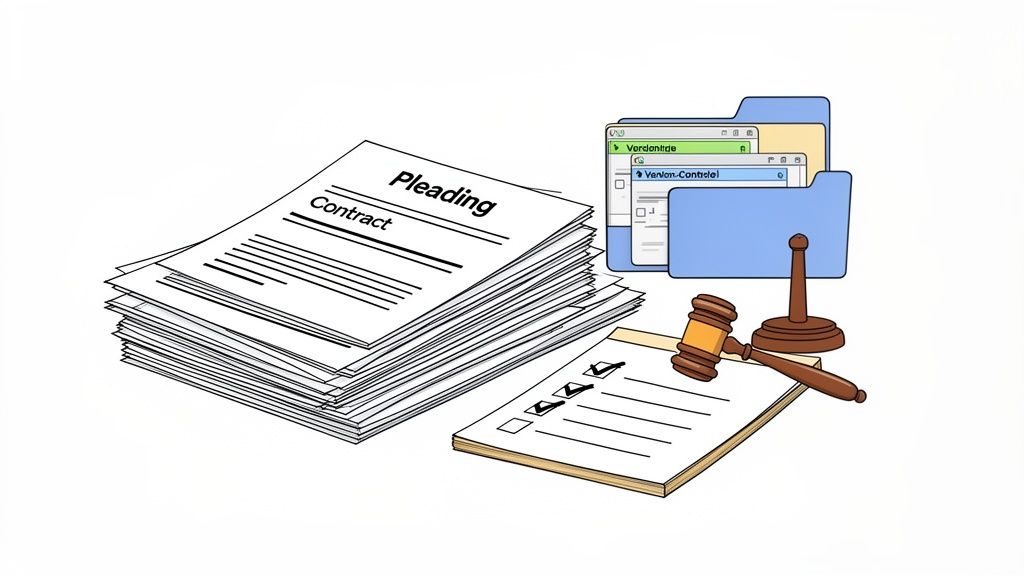
A misplaced exhibit or an incorrectly formatted filing can derail a case, leading to missed deadlines or even sanctions. For remote legal secretaries, the stakes are even higher, demanding impeccable digital organization and strict adherence to security protocols. Mastering efficient document management best practices is the price of entry, not a bonus skill.
A top-tier legal secretary doesn't just process documents; they own the entire lifecycle. This means anticipating attorney needs, maintaining version control with surgical precision, and ensuring every document adheres to the labyrinthine rules of a given court.
Here’s the playbook:
YYYY-MM-DD_ClientName_DocumentType_Version). This simple step alone can prevent a world of pain when you're searching for something under pressure.In a law firm, the attorneys may be the strategists, but the legal secretary is often the ambassador. This makes client communication one of the most vital job responsibilities of a legal secretary. It’s far more than answering phones; it's about being the firm's reassuring, competent, and professional voice. You are the first line of defense against client anxiety.

This is where client relationships are built or broken. Every interaction, from a simple scheduling email to handling a panicked call, shapes the client's perception of the firm. For a remote legal secretary, projecting warmth through digital channels is a non-negotiable skill. It requires a deep understanding of the best practices for client communication that keep clients informed and happy.
A world-class legal secretary doesn't just relay messages; they manage expectations. This means proactively providing status updates, understanding the emotional state of a client, and knowing when to escalate an issue versus when to handle it directly.
Here’s the playbook:
If documents are the backbone of a law firm, the calendar is its central nervous system. A single missed deadline can trigger a cascade of malpractice-level failures. This makes calendar management one of the most high-stakes job responsibilities of a legal secretary. It’s a strategic game of Tetris played with court deadlines, client availability, and attorney travel schedules.

An attorney’s productivity is directly tied to how well their time is guarded. In a remote work context, this becomes even more critical. A skilled legal secretary acts as a gatekeeper and a logistical mastermind, preventing chaos and ensuring every critical date is met with proactive preparation, not last-minute panic.
A world-class legal secretary doesn’t just record dates; they orchestrate time. They anticipate conflicts, understand the prep time required for major events, and communicate with court clerks and opposing counsel with military precision.
Here’s the playbook:
If legal documents are the bricks of a case, the case file is the blueprint. This makes legal research support and file organization a cornerstone of the job responsibilities of a legal secretary. It’s about more than labeling folders; it's about creating an intuitive, instantly accessible library of every piece of information that could make or break a case.
An immaculately organized exhibit binder can be the difference between a smooth trial presentation and a fumbling disaster in front of a jury. For remote legal secretaries, this means mastering cloud-based systems, ensuring terabytes of discovery data are easy to navigate while maintaining strict version control.
A world-class legal secretary doesn't just file documents; they architect the information flow of a case. They anticipate what an attorney will need before they ask, transforming raw data into a strategic asset.
Here’s the playbook:
If documents are the backbone of a law firm, billing is the circulatory system. This makes timekeeping and billing administration a critical, if unglamorous, job responsibility of a legal secretary. It’s the financial gatekeeping that ensures the firm gets paid for its work and clients understand their invoices.
This responsibility directly impacts a firm's cash flow. Inaccurate time entries or delayed invoices create client disputes and leave money on the table. A remote legal secretary must be a centralized hub for all billing-related activities, ensuring the financial engine of the firm runs without a hitch.
A world-class legal secretary doesn't just process timesheets; they actively manage the entire billing cycle. They are the firm's first line of defense against revenue leakage, transforming attorney time into firm revenue.
Here’s the playbook:
Think the lawyer's brilliant argument wins the case? Think again. That argument is worthless if it never makes it past the clerk's desk. This makes court filing and procedural compliance one of the most high-stakes job responsibilities of a legal secretary. It’s the unforgiving world of deadlines and arcane procedures where a single misstep can get a case thrown out.
This isn't just uploading a PDF. It’s about navigating the labyrinth of different court systems, from state e-filing portals to the federal CM/ECF system. A legal secretary is the firm's last line of defense against missed deadlines, incorrect fee payments, and procedural foot faults.
An elite legal secretary doesn't just file documents; they are the firm's procedural gatekeeper. They know the local rules better than anyone and anticipate hurdles before they become emergencies.
Here’s the playbook:
If documents are the backbone of a case, scheduling is the central nervous system. Arranging meetings and depositions is far more complex than sending a calendar invite. It’s a logistical puzzle involving busy attorneys, opposing counsel, clients, court reporters, and interpreters, often scattered across different time zones.
A single scheduling error can cause costly delays and damage professional relationships. For a remote legal secretary, this function is magnified, requiring flawless management of digital calendars and virtual meeting technology. This is one of the most visible job responsibilities of a legal secretary, where a small mistake can have a big impact.
An elite legal secretary doesn’t just schedule events; they orchestrate them. They anticipate conflicts, confirm every detail with every participant, and have contingency plans ready to go.
Here’s the playbook:
While high-stakes litigation gets the spotlight, a law firm grinds to a halt without someone managing the engine room. This is where administrative support, a core job responsibility of a legal secretary, becomes mission-critical. It’s about creating an operational environment so smooth that attorneys can focus entirely on practicing law, not on why the printer is jammed again.
Think of this role as the firm's central nervous system. A skilled legal secretary ensures calls are routed flawlessly, vendors are paid on time, and the physical or digital office runs without a hitch. For remote operations, this responsibility is even more vital, demanding sophisticated coordination of digital mail and virtual reception.
A top-tier legal secretary doesn't just react to administrative needs; they proactively manage the office's operational health. They build systems that prevent problems before they arise.
Here’s the playbook:
| Task | Implementation complexity | Resource requirements | Expected outcomes | Ideal use cases | Key advantages | Key challenges |
|---|---|---|---|---|---|---|
| Legal Document Preparation and Management | Moderate–High (templates, rules) | Document automation, case management software, trained staff | Accurate, compliant filings; searchable records | Litigation pleadings, contracts, settlement documents | Reduces attorney formatting time; improves compliance | Continuous rule updates; error risk with complex docs |
| Client Communication and Correspondence | Low–Moderate | Phone/email systems, secure channels, multilingual staff as needed | Clear client expectations; improved satisfaction | Client intake, status updates, routine questions | Frees attorney time; builds client relationships | Risk of miscommunication; confidentiality demands |
| Calendar Management and Scheduling | Moderate | Calendar/CMS integration, courthouse calendars, reliable notifications | Fewer missed deadlines; coordinated schedules | Court dates, depositions, multi-attorney calendars | Prevents missed hearings; improves productivity | High attention to detail; last-minute changes stress |
| Legal Research Support and File Organization | Moderate | Document databases, indexing tools, organized protocols | Faster case prep; well-organized exhibits/files | Trial binders, discovery organization, deposition files | Speeds attorney workflow; reduces search time | Time-consuming with large productions; reorganization needs |
| Timekeeping and Billing Administration | Low–Moderate | Billing software, coding guidelines, reconciliation processes | Accurate invoices; better profitability tracking | Monthly invoicing, retainer management, realization analysis | Reduces billing disputes; supports financial reporting | Complex billing arrangements; detail-oriented work |
| Court Filing and Procedural Compliance | High | E-filing systems, jurisdiction checklists, fee handling | Timely filings; reduced malpractice exposure | Federal/state pleadings, proof of service tracking | Ensures procedural compliance; prevents defaults | High stakes for errors; variable local rules |
| Meeting and Deposition Coordination | Moderate | Scheduling tools, virtual platforms, reporter/interpreter contacts | Smooth logistics; reduced rescheduling | Multi-party depositions, mediations, virtual hearings | Manages complex logistics; enables remote participation | Technical failures; coordination with external parties |
| Administrative Support and Office Management | Low | Office software, vendor relationships, procedures manual | Smooth office operations; reduced attorney distractions | Reception tasks, supplies, expense processing | Maintains firm operations; frees attorneys for billable work | Repetitive tasks; shifting priorities; remote visibility issues |
So, we've walked through the sprawling universe of a legal secretary's duties. From wrestling with arcane e-filing portals to acting as the firm's frontline diplomat with clients, the list is exhaustive. The takeaway is not just that this role is complex; it’s that the right support isn't an overhead expense. It's a profit center.
Every minute a legal secretary claws back for an attorney is another billable minute. Every filing deadline they prevent you from missing is a potential malpractice suit averted. They are the operational engine that allows lawyers to do what they do best: practice law. Understanding the full scope of the job responsibilities of a legal secretary is the first step. The second is realizing the old way of filling that role is fundamentally broken.
Let’s be honest. The traditional hiring model is a painful, expensive grind. You spend weeks, sometimes months, sifting through resumes and conducting interviews. Hope you enjoy spending your afternoons fact-checking credentials and running skills tests, because that’s now your full-time job.
Once you finally find someone, you’re on the hook for a massive salary, benefits, and office space. It’s a six-figure commitment before they’ve answered their first phone call. For small firms, this cost is prohibitive. For larger firms, it’s an inefficient allocation of capital. You’re forced to choose between crippling your budget with a full-time hire or crippling your productivity by going without.

Key Insight: The value of elite legal support is undeniable, but the traditional cost structure is unsustainable. The critical pivot isn't deciding if you need help, but how you access it without sinking the ship.
This is precisely the friction that led us to build a better way. We were tired of the all-or-nothing trade-off. Why should elite legal support be reserved for firms with the deepest pockets? Turns out, there's a way to get the expertise you need without the exorbitant price tag.
By embracing a remote, on-demand model, you shift from a fixed cost to a variable one. You gain access to a national talent pool of pre-vetted professionals, allowing you to find the perfect skill set for your specific practice area. This isn't about finding a cheaper alternative; it's about finding a smarter, more flexible one. It’s about paying for the precise support you need, exactly when you need it.
So, as you reflect on the mountain of job responsibilities of a legal secretary we've outlined, ask yourself: Are you managing these tasks effectively? Or are they managing you? Stop trying to do it all yourself, and stop thinking a full-time, in-house employee is your only option. It’s time to get your time back and start scaling your practice intelligently. The ping-pong table can stay.