

 20 minutes read
Let’s be honest, the moment you Google "best legal practice management software," you’re already losing. You're about to get hit with a tidal wave of sponsored posts, biased reviews, and feature lists so long they could be filed as an amicus brief.
The big names always float to the top: Clio is the 800-pound gorilla, MyCase is the user-friendly darling, and PracticePanther is the lean, mean machine. For the serious process nerds, Filevine is the custom-built hot rod.
But picking the best one isn't about choosing the most popular kid in school. It’s about figuring out which tool will stop your firm from bleeding time and money, and maybe—just maybe—let you leave the office before 8 p.m.
Let’s call this what it is: a colossal pain in the ass. Hunting for new legal software feels like a second job you never wanted. You're drowning in feature comparisons, trying to decode pricing tiers designed by a sadist, and enduring demos that all promise the same utopian future of perfect, seamless efficiency.
Hope you enjoy spending your afternoons fact-checking what a sales rep just told you—because that’s now your full-time job.
The hard truth is that many of these platforms were designed for a legal world that’s already gone. We've been there—cobbling together systems with a toxic mix of spreadsheets, sheer willpower, and way too much caffeine. We learned the hard way what actually works versus what just looks good in a demo.
This isn’t another recycled listicle. Think of it as a battle-tested playbook from people who have the scars to prove it. We're going to cut through the marketing fluff, call out the expensive but useless features, and give you a framework for choosing a system that won’t make you want to throw your laptop out the window.
This market is absolutely on fire. Valued at roughly USD 2.0 billion in 2023, it's on a rocket ship to USD 5.42 billion by 2030. That explosion is fueling a ton of innovation, turning the best platforms into a central nervous system for your firm—connecting your in-office crew, your remote attorneys, and your outsourced paralegals. You can read the tea leaves in the full research on this market trend if you’re into that sort of thing.

We're not just choosing software; we're choosing how our firm will operate for the next five years. A bad choice doesn't just waste money—it actively murders productivity and morale.
Our goal is simple: share the kind of insider knowledge that helps you make the right call without lighting months of your life on fire. We're biased toward first-hand experience and real-world results, not just regurgitating a product’s homepage.
Let’s find a platform that works as hard as you do.
Before you get hypnotized by a slick sales demo showing off some futuristic AI widget, let's get back to reality. A flashy dashboard is nice, but it won’t find that crucial document for you at 5 p.m. on a Friday. We need to talk about the bedrock features—the unglamorous, workhorse tools that actually keep a law firm from imploding.
This isn’t just a checklist. This is a list of things that, if they fail, will make you regret your decision. Profoundly.
Let’s get one thing straight: if a platform isn't cloud-based, close the browser tab. On-premise servers are a relic from a bygone era, like fax machines and three-martini lunches. You absolutely need secure access to everything from your laptop, your tablet at the courthouse, or your phone while you're fumbling for your credit card at Starbucks. It’s 2024, not 2004.
The market agrees. The cloud deployment segment is projected to grow at an 11.3% compound annual growth rate through 2030, leaving on-premise systems in the dust. For any firm that uses remote talent, a cloud-native platform is the only sane choice.
I hope you enjoy hounding attorneys to fill out their timesheets—because if your billing system is a pain to use, that’s your new part-time job. This is the single most important function of any practice management software. It has to be ridiculously easy.
Insist on a system that offers:
Anything less is just a glorified spreadsheet that costs you hundreds of dollars a month. This is the engine of your firm’s revenue. Don’t cheap out.
Every single platform on the market claims to have “robust document management.” Most of the time, this just means they give you a folder that syncs with Dropbox. That’s not a feature; it’s table stakes. You also need powerful document generation. To see what’s possible, check out the best document automation software platforms.
True document management includes:
This screenshot shows a typical dashboard view, putting key case info right in your face.
A good dashboard gives you the 10,000-foot view in seconds, preventing critical tasks from vanishing into the ether. For a deeper dive, our guide on what a case management system is breaks it down even further.
Alright, let's get to the main event. No more theory. We’re putting the top contenders under a microscope to see which one is actually the best for a firm that needs to get work done, not just look busy.
We're talking about Clio, MyCase, PracticePanther, and Filevine. I’ve kicked the tires on all of them, sat through the demos that promise the world, and seen where the slick marketing pitch goes to die. Forget the generic feature lists. This is the stuff they don't tell you on the pricing page.
Clio is the 800-pound gorilla in the room. They have the market share for a reason—the platform is polished, comprehensive, and integrates with just about everything. If a legal tech app exists, it probably plays nice with Clio.
Their platform is split into Clio Grow (intake/CRM) and Clio Manage (practice management). This is both a strength and a weakness. It’s modular, but it sometimes feels like you’re paying for two products and switching between them.
Where Clio really earns its keep is the user interface and mobile app. It’s genuinely usable. You can actually manage tasks, talk to clients, and track time on the go without wanting to throw your phone across the courtroom. It’s clean, intuitive, and the learning curve for new hires is surprisingly gentle.
The catch? You pay for that polish. Clio is almost always one of the most expensive options, and the costs climb fast as you add users. It's a premium product with a premium price tag.
MyCase bills itself as the user-friendly, all-in-one solution. Unlike Clio’s split personality, MyCase jams everything from intake to invoicing into one cohesive system. For a lot of small and mid-sized firms, this is a massive selling point.
Their built-in payment processing is fantastic, and the client portal is one of the best out there. It’s dead simple for clients to see case updates, share documents, and pay invoices, which drastically cuts down on those soul-crushing "just checking in" phone calls.
But where MyCase can feel a bit tight is in its customization and integrations. It covers the essentials beautifully, but it doesn't have Clio's sprawling app store. If your firm has weird, specific workflows or relies on niche third-party tools, you might hit a ceiling.
The Gotcha: MyCase’s new AI legal writing assistant is a cool toy. Treat it as a first-draft generator, not a replacement for a sharp paralegal. It’s not magic, and it’s definitely not malpractice-proof.
These are the non-negotiables. If a platform can't nail these three, it's a hard pass.
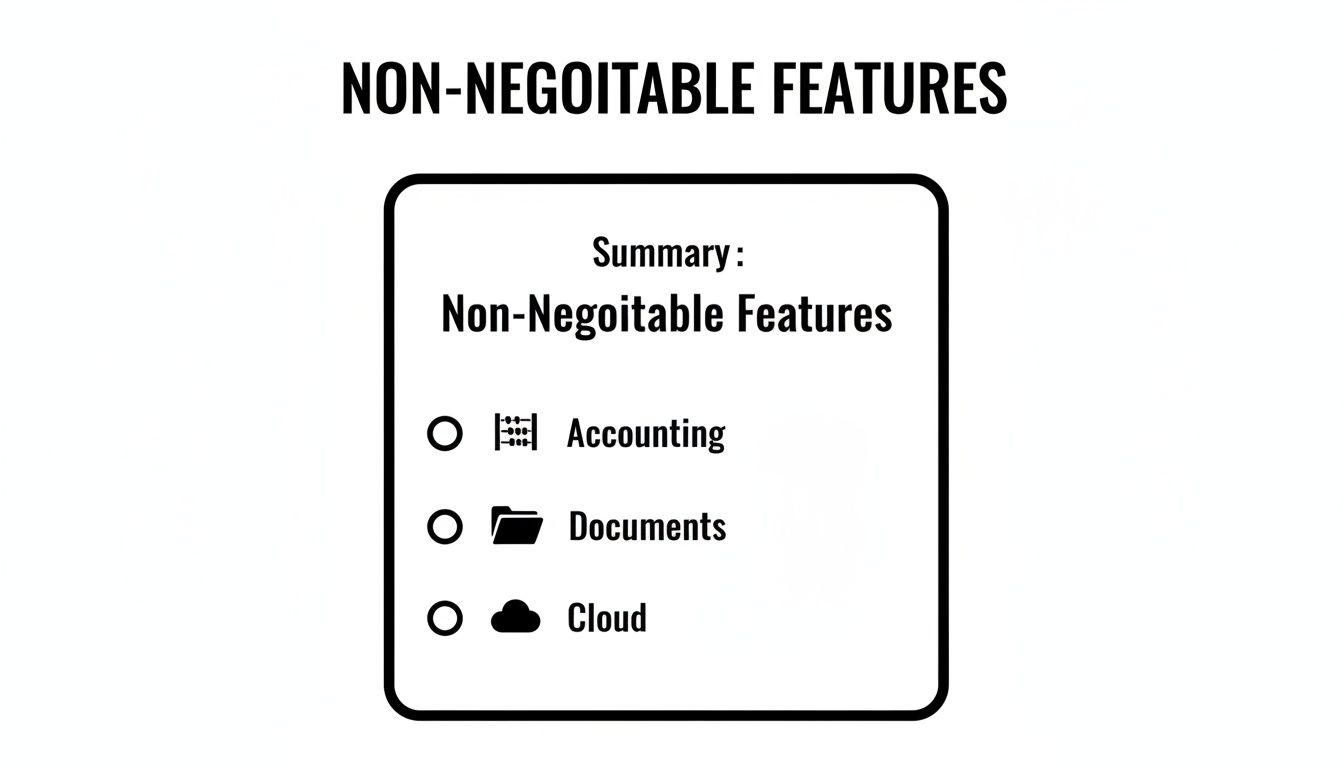
This cuts through the marketing noise. These are the pillars. The rest is just window dressing.
PracticePanther has always felt like the scrappy underdog. It's known for being exceptionally easy to use, with a clean interface that lets new users get up to speed in hours, not weeks. For firms that just want the core features done right, it's a beast.
Their workflow automation is surprisingly powerful for the price. You can build custom task and event templates that trigger automatically, which is a game-changer for high-volume practices like immigration or family law.
But there are trade-offs. Some users report it gets sluggish with large document loads. And while its integrations are decent, it lacks the deep, native connections of its bigger rivals. Its document management is functional, but it’s not going to win any awards. To see what a more specialized solution can do, check out https://hireparalegals.com/best-document-management-software-for-law-firms/ for a comparison.
Filevine is a different animal entirely. It’s not an out-of-the-box solution; it’s a highly customizable platform for firms with complex, process-driven workflows—think personal injury and mass torts. If your practice runs like a factory, Filevine can be incredible.
You can build custom case phases, automated task flows, and intricate reporting dashboards that give you a god-like view of your operations. Its document assembly and deadline automation are top-tier.
The catch? "Highly customizable" is code for "requires a ton of setup." Implementation isn't a weekend project; it's a long, expensive journey. You’ll probably need a consultant to get it dialed in. This is not the software you buy if you need to be sending invoices by Friday.
To see how others have broken down the market, you might find value in a comprehensive guide to the best legal practice management software. This is a serious commitment; do your homework.
Let's put these four side-by-side and see how they really stack up. This isn’t just a feature checklist; it’s a look at their core philosophies.
| Feature/Aspect | Clio | MyCase | PracticePanther | Filevine |
|---|---|---|---|---|
| Core Strength | The biggest feature set and integration marketplace. The safe bet. | All-in-one, user-friendly, with a killer client portal. | Simplicity and powerful automation for high-volume firms. | Unmatched customization for process-driven, complex practices. |
| Ideal Firm Size | Solo to Large Firms | Solo to Mid-Sized Firms | Small to Mid-Sized Firms | Mid-Sized to Large Firms |
| Learning Curve | Moderate | Low | Very Low | High (Requires professional setup) |
| Pricing Model | Per user/month. Premium pricing. Grow (CRM) is extra. | Per user/month. All-in-one pricing. | Per user/month. Competitively priced. | Custom quote. Expect a significant investment. |
| Key Differentiator | The ecosystem. Clio Grow + Manage covers the entire client lifecycle. | The client experience. The integrated portal and payments are seamless. | Speed and automation. Fast to implement, saves time on repetitive tasks. | Total customization. Can be molded to fit almost any complex workflow. |
Looking at the table, the "best" choice really depends on your firm's DNA. Clio is the safe, powerful bet if you have the budget. MyCase is for firms obsessed with client experience. PracticePanther is for efficiency junkies. And Filevine is for firms that need to build a system from the ground up.
The idea of a single "best legal practice management software" is a myth. It’s a marketing slogan, not a reality. The best software is the one that fits how your firm actually operates, not the one that forces you into a box.
A solo family law attorney has wildly different needs than a 20-person litigation firm drowning in discovery. So, let's ditch the one-size-fits-all nonsense.
Think of this as your free consultation. You're welcome.
When you’re lean, your biggest enemy isn't the competition—it’s administrative drag. Every minute spent creating an invoice or chasing a client is a minute you're not billing.
You need simplicity, affordability, and ruthless efficiency.
Forget platforms with a million features you’ll never use. At this stage, you're buying back your time. Your goal is a tool that feels like a competent, affordable assistant, not another project.
This is where most firms start, and the market reflects it. North America dominates this space, with the U.S. projected to generate over USD 900 million in revenue in 2024. For firms using remote talent, this maturity is a huge plus. Paralegals from platforms like HireParalegals often know these systems already, which kills the learning curve. You can dig into these legal tech market trends if you want to geek out.
Is your firm an assembly line handling hundreds of cases at once? Think personal injury, immigration, or disability. You don't just need to organize files; you need to manage a production line.
Your success lives and dies by your checklists, deadlines, and intake process.
You’ve grown, and now your biggest challenge is consistency. You need everyone following the same procedures, using the same templates, and tracking time the same way.
You're not just buying software; you're buying a single source of truth.
Choosing the right software comes down to a brutally honest assessment of your firm's biggest pain point. Are you losing time? Leads? Your sanity? Answer that, and the right choice becomes much clearer.
That slick, low monthly price they advertise? It’s bait. Think of it as the friendly handshake before they get you into a headlock. The sticker price for legal software is rarely the full story.
The real costs—the ones that nuke your budget—are always tucked away in the fine print. I’m talking about the surprise fees that turn a great deal into a financial migraine.
The only number that matters is the total cost of ownership, and vendors are experts at hiding it. We've all been burned by this. Let's pull back the curtain on the fees you absolutely have to ask about.
Before you get too far with any provider, grill their sales rep on these:
On your next demo, ask this one simple question: "Can you give me a line-item quote for our firm's total, all-in cost for year one? Include data migration, training, and every integration we need." Their reaction will tell you everything.
A botched data migration can cripple your firm for weeks. I’ve seen it happen. Imagine corrupted client files, lost billing histories, and scrambled contacts. You can't bill for work you can't find. It's a full-blown catastrophe.
Treat your migration plan like a core business continuity plan, not an IT project. Before signing anything, demand a detailed migration roadmap. Know exactly what data will move, what might get left behind, and the precise format required. If they can't give you a clear, confident answer, run.
This isn’t just about picking software; it’s about avoiding a catastrophic business decision. A little due diligence now will save you from a massive trap later.

You’ve done the demos, crunched the numbers, and picked a finalist. Now what? Let me be blunt: the final choice has very little to do with features and everything to do with your people. The fanciest software on the planet is a complete waste of money if your team won’t use it.
If adoption fails, get ready to spend your afternoons manually entering time. That's the reality. Here’s how to make the right call and actually get your team on board.
The free trial isn't for you; it's for them. Your goal isn't just to kick the tires. It's to see if your most tech-phobic partner can log their time without having a meltdown.
How to run a trial that gives you real answers:
You're not looking for perfection—it doesn't exist. You're looking for the path of least resistance for your team.
Once you've decided, your job switches from evaluator to evangelist. You have to sell the why, not just the what. Don't just send a memo; build a business case that makes sense to everyone.
For attorneys, it’s about less admin work and more billable hours. For paralegals, it's about smoother workflows. For clients, it's about better communication. Frame it as a win for everyone.
Getting your team on board is a leadership challenge, not a tech problem. This is especially true with remote staff. For a deeper dive, check out our guide on how to onboard remote employees at https://hireparalegals.com/how-to-onboard-remote-employees/. Solid training and clear communication are non-negotiable. Your new software should be the tool that unites your team, not another barrier.
Still have questions? I get it. This is a huge decision. Here are the straight, no-BS answers to the questions we hear most often.
Yes, but thinking it'll be a simple "copy and paste" is how you end up in a world of hurt. This is where most firms stumble, badly. They underestimate the complexity and end up held hostage by their old vendor.
Most reputable platforms offer migration services, but the quality is all over the map. Some offer a white-glove service; others hand you a spreadsheet and wish you luck.
My Two Cents: Before you sign anything, demand a detailed migration plan. Ask them point-blank: what data gets transferred, what gets left behind, and what format do you need it in? If their answers are vague, that’s a massive red flag.
Always run a small test migration first. And for the love of all that is billable, make a complete backup of everything before you start.
This isn't a "nice to have" anymore. It's a core requirement. First, the platform must be cloud-based. If not, it's a non-starter. End of story.
Next, you need granular, role-based access controls. This lets you give a remote paralegal access only to the cases and features they need, and nothing more. The platform also needs real-time collaboration tools that actually work, like secure internal messaging and shared task lists.
When you're doing a trial, test this workflow specifically. Assign a task to someone outside your office. If it feels clunky or takes more than three clicks, it’s going to be a productivity nightmare.
Strong integrations. Every single time. It's not even a debate.
The dream of a perfect, all-in-one system that does everything is a mirage. Platforms that try to do everything usually do most of it poorly. You'll end up with a mediocre accounting module that your bookkeeper despises or a CRM that’s a clunky afterthought.
The smarter play is to choose a platform that acts as a strong "hub"—excelling at case management, time, and billing. From there, it should integrate seamlessly with best-in-class tools you already trust, like QuickBooks for accounting or LawPay for payments. A healthy app marketplace isn't just a feature; it's a sign of a platform built for the real world.


