 19 minutes read
The most useful way to think about legal remote work is this: it's no longer a special exception for law firms. It's a staffing model with its own workflow rules, supervision demands, and confidentiality risks. A 2023 Epiq and Law.com survey found that only 22% of legal leaders and 7% of associates and support staff had returned to the office full time, while roughly 15% to 16% of both groups were fully remote, according to the Law.com and Epiq hybrid work survey executive summary. That means the question for most firms isn't whether remote legal work is allowed. It's whether the firm can run it well.
For partners, administrators, and practice managers, that changes the discussion. A written hybrid policy matters, but it's only the start. What matters more is how work is assigned, how client data is protected, how deadlines are supervised, and whether “remote-friendly” really means remote in day-to-day practice.
That's where firms often get tripped up. They focus on permission and overlook enforcement, culture, and process. A remote paralegal can be highly effective in litigation support, intake, discovery coordination, calendaring, and document management. A remote junior attorney can support research and drafting. But those roles work well only when the firm builds the right operating system around them.
If you're evaluating remote legal support, this overview of whether paralegals can work from home is a useful starting point. The bigger decision is how to make the model sustainable, compliant, and predictable.
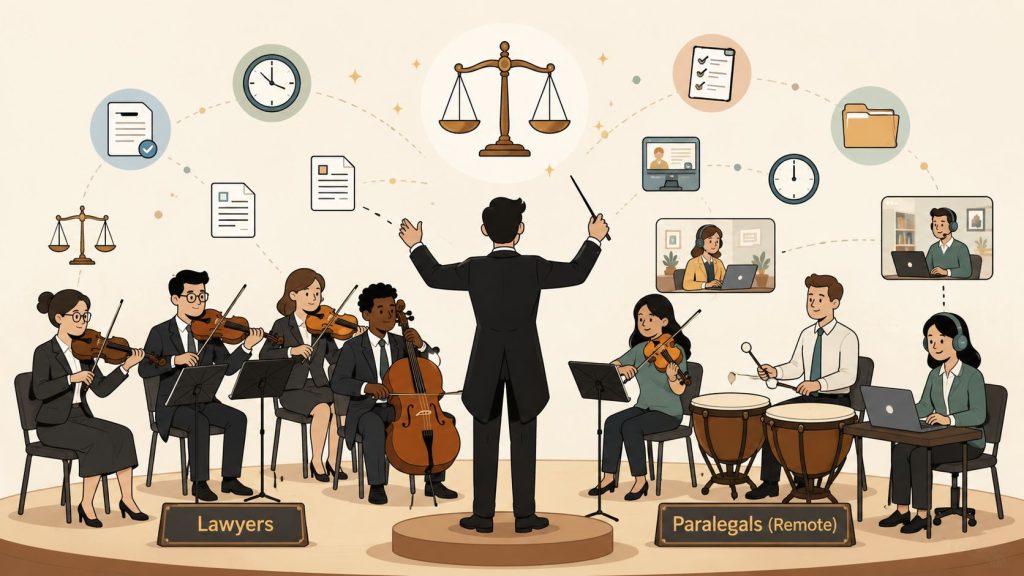
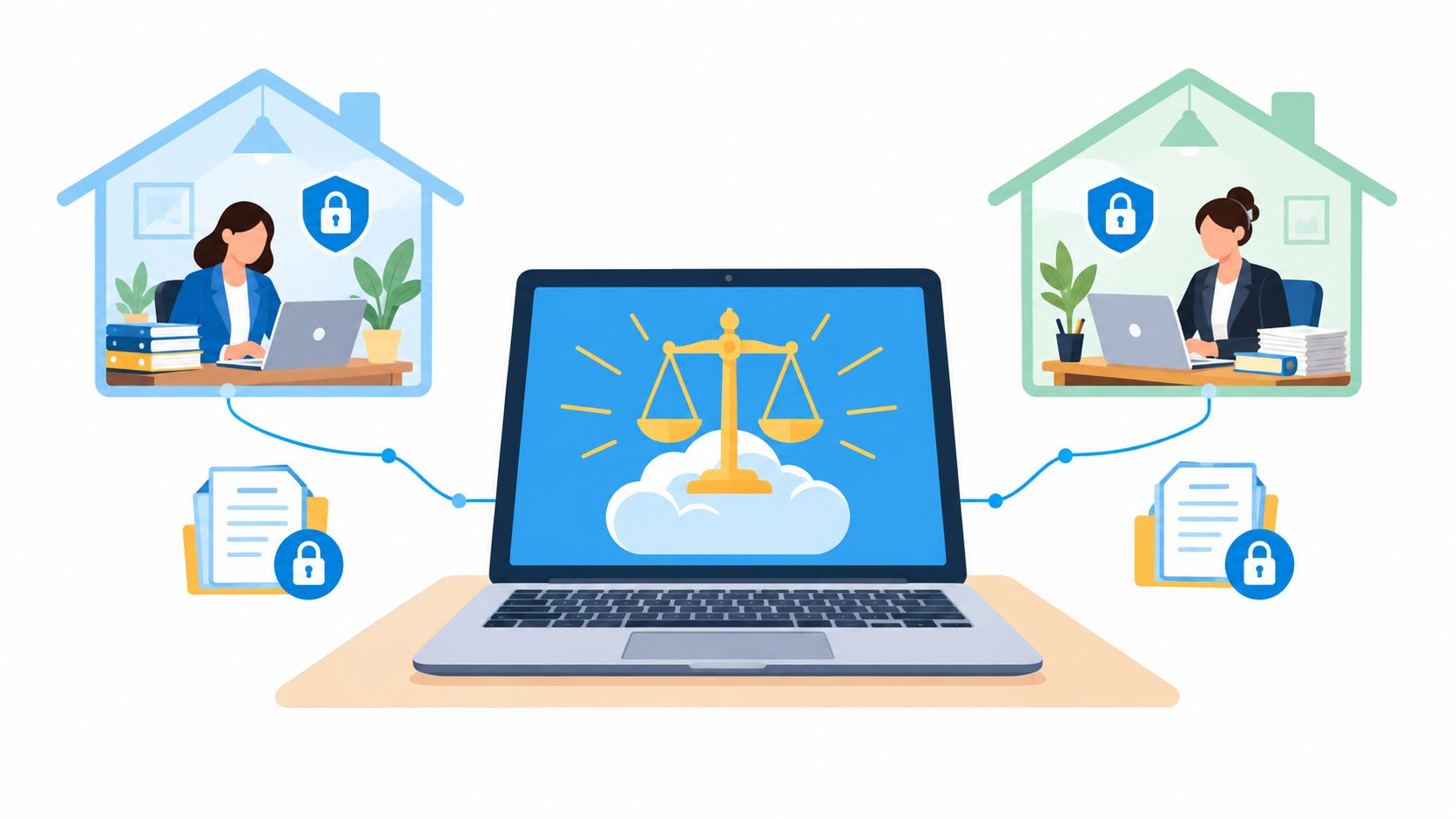
Legal remote work means lawyers, paralegals, legal assistants, and support staff perform substantive firm work outside the office while still handling confidential matters, deadlines, client communication, and internal collaboration. In practice, that can mean a litigation paralegal managing discovery from home, an immigration case assistant preparing filings from another state, or a junior attorney drafting research memos without sitting in the firm every day.
For law firms, this matters because staffing pressure has changed. Firms want access to qualified talent without limiting themselves to a commuting radius. They also want flexibility when case volume shifts. At the same time, client confidentiality, supervision, and professional responsibility don't disappear just because a team member logs in remotely.

Practical rule: Treat remote legal work as an operating model, not a perk. If the workflow, supervision, and security pieces aren't defined, the arrangement will feel messy even when the person is capable.
Remote legal work is often a strong fit for document-heavy, deadline-driven tasks that can be tracked clearly. It's less straightforward when the role depends heavily on walk-up partner access, paper files, or courtroom logistics that require regular physical presence.
The firms that handle this well usually make a few decisions early. They define which roles are remote-capable, which tasks must stay on-site, what tools the team will use, how turnaround times work, and who supervises what. Once those basics are clear, remote staffing becomes much easier to evaluate on its actual merits.
By 2021, many law firms were no longer asking whether remote work was possible. They were deciding how much of it to keep. In a summary of Law Firm Trend Report findings, Above the Law reported that 53% of law-firm respondents expected lawyers and staff to be allowed to work remotely full time after offices reopened, and 70% expected part-time remote work to remain available. The same summary reported that 76% of law firms already used cloud-based computing before the pandemic, rising to 88% afterward, and 46% invested in remote-working software because of the pandemic, according to the Above the Law summary of the Law Firm Trend Report findings.
That change matters, but the bigger shift was operational.
A firm can publish a flexible work policy in one afternoon. It takes much longer to build a remote model that holds up under deadline pressure, client confidentiality rules, partner review habits, and uneven office culture. Legal remote work became standard practice because firms built enough digital process around the work to keep matters moving.
Before cloud systems were common, remote legal work often depended on workarounds. Staff emailed document versions back and forth, called the office to ask someone to scan a file, or logged into a desktop that was never designed for all-day remote use. That setup works for a short disruption. It breaks down as a standing workflow.
Cloud practice systems changed that by putting the file, calendar, task list, and communication trail in one shared operating space. A remote paralegal no longer needs to sit near a paper file to update discovery responses or track missing records. A legal assistant can confirm intake details, schedule calls, and log client communication without being tied to the reception desk. Junior attorneys can draft, revise, and route work for review without losing the history of who changed what.
The useful analogy is simple. Policy gives permission. Systems provide enforcement.
That distinction explains why some firms felt productive remotely and others felt chaotic even when they had the same video platform and the same written flexibility. If deadlines live in one tool, documents in another, comments in email, and approvals in hallway conversations, remote work exposes every gap. Office presence can hide those gaps for a while because people solve problems by walking down the hall. Remote work cannot rely on that shortcut.
For many firms, remote work did not replace office work. It exposed that legal work had split into different categories with different control needs. Some tasks need physical presence, such as trial binders, original documents, wet signatures in certain matters, or in-person client meetings. Other tasks need controlled access, documented review, and predictable turnaround more than they need a desk in the office.
That is why hybrid lasted.
Earlier survey findings already showed that full-time office return was not the only outcome firms were planning for. The important lesson is less about where people sit and more about how fragmented legal operations can become when some supervision happens in person, some happens in chat, and some never gets documented at all. In practice, hybrid firms have to manage two systems at once. The written system inside the case platform, and the informal system people carry in their heads.
The written system is the one that scales.
Remote legal work became standard once firms saw that many roles were compatible with structured digital workflows, but only if supervision and security were built into the work itself.
Several patterns pushed it from temporary response to normal staffing:
This is also where firms learned a harder lesson. Flexibility on paper is the easy part. Consistent enforcement is harder. A remote or hybrid team only works well if the firm can answer practical questions with one clear process: Where does work get assigned? Where is the current version of the document? Who reviews it? How is privileged information shared? What happens if someone uses a personal device or works from a public network?
Firms that answered those questions turned remote work into a stable operating model. Firms that did not often ended up with a hybrid culture that looked flexible from the outside and felt disorganized inside.
For law firms, remote legal work is now less a question of permission and more a question of control. The firms that treat it as a staffing channel only tend to miss the issue. Remote work changes supervision paths, security exposure, training habits, and quality checks. It fragments compliance unless the firm standardizes how work moves.
That is why remote legal work became standard practice. The office is no longer the control point. The workflow is.
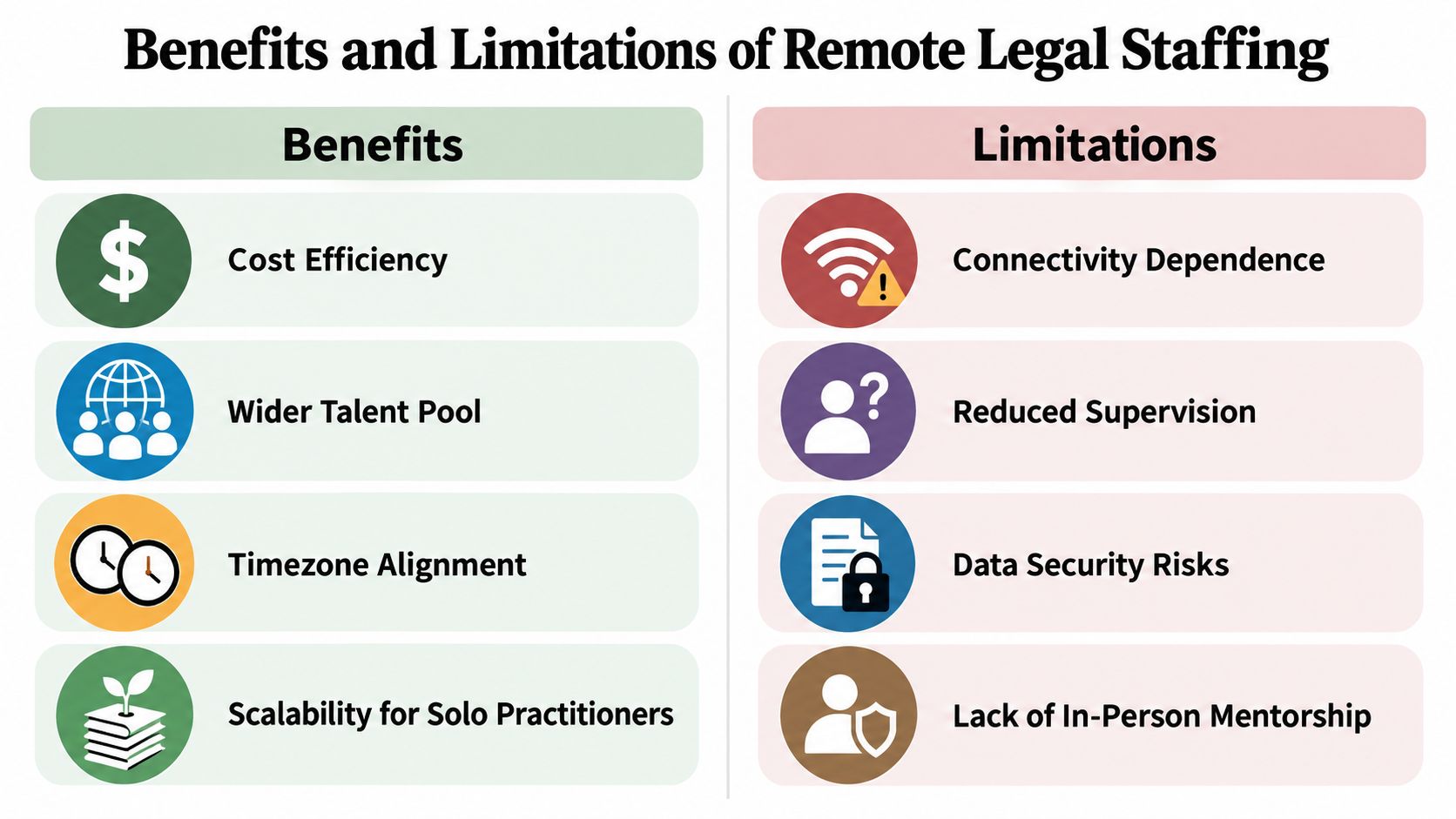
Remote legal staffing can work extremely well. It can also create frustration if a firm uses it for the wrong role or without enough structure. The strongest results usually come from matching the role to the workflow instead of assuming every legal support task should be remote or every task should stay in-office.
A remote setup is often a good fit when the work is structured, measurable, and mostly digital. Think of a paralegal reviewing medical records, preparing chronologies, managing discovery indexes, or tracking filing requirements in an immigration practice. Those tasks don't depend on sitting near an attorney's office. They depend on clear instructions, reliable systems, and disciplined follow-through.
Here's a simple comparison:
| Work pattern | Often a strong remote fit | Often a weaker remote fit |
|---|---|---|
| Document handling | Drafting, file organization, e-filing prep, records review | Matters built around original paper files |
| Client communication | Intake follow-ups, scheduling, status updates with scripts | Sensitive in-person consultations requiring office support |
| Supervision style | Task-based review, shared checklists, written feedback | Constant ad hoc verbal direction |
| Practice examples | Immigration, corporate support, family law admin, discovery support | Trial war room support, front-desk coverage, frequent courthouse running |
Some firms also find remote staffing useful for extending service coverage across time zones, especially when a case team needs early-morning or later-day administrative support. Others use remote legal assistants to stabilize intake and calendaring when attorneys are overloaded.
The main limitations aren't mysterious. They're operational. A remote team member can't absorb hallway context, overhear informal priority changes, or grab a paper file from a cabinet. If your office runs on verbal handoffs, memory, and physical proximity, remote staffing will expose those weaknesses fast.
Common friction points include:
A solo lawyer may tolerate more improvisation because fewer people are involved. A mid-sized litigation firm usually can't. More people means more handoffs, more deadlines, and more need for standard operating procedures.
Remote staffing doesn't remove management work. It changes the kind of management work required. Instead of relying on presence, firms need to rely on documented processes, clear ownership, and review points.
A remote paralegal usually succeeds when the attorney can answer three questions quickly: What exactly is assigned, when is it due, and how will the finished work be reviewed?
That's why some firms love remote legal staffing and others say it “didn't work.” Often, the difference isn't the person. It's whether the firm redesigned the workflow to match the arrangement.
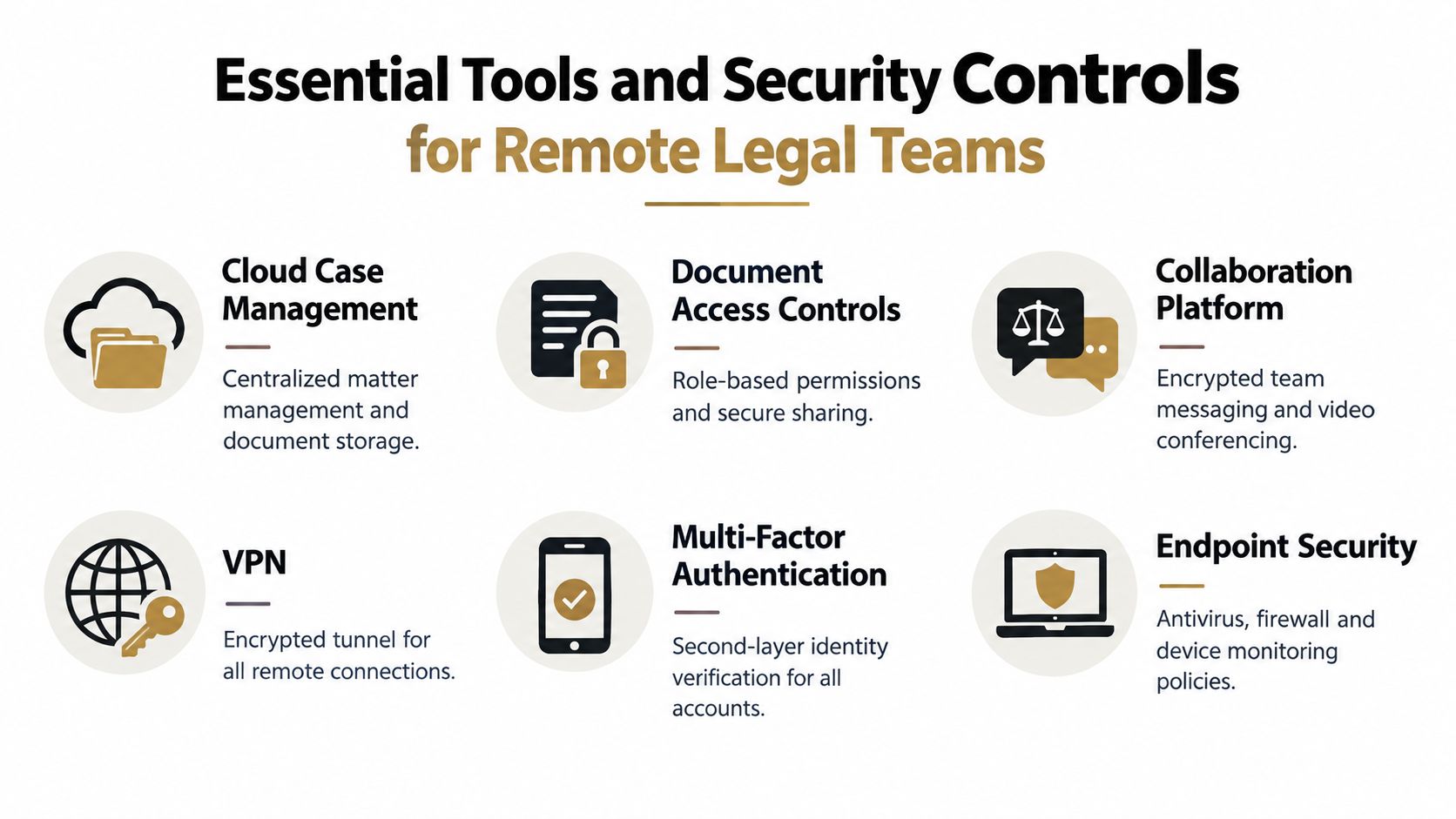
The most common mistake in legal remote work is thinking that a video call app and shared folders are enough. They aren't. Remote matter handling needs a layered system that covers both productivity and confidentiality. Law firm ethics guidance makes that point clearly. Remote practice does not reduce a lawyer's duty to protect client information.
New York and California guidance states that remote practice still requires reasonable measures to protect confidentiality, including secure transmission to remote devices, secure cloud and device backups, and workspace controls that reduce inadvertent disclosure risk, according to the New York County Lawyers Association ethics opinion on remote work.
A functional remote legal team usually needs six categories of tools and controls:
If your team communicates across time zones or staggered schedules, written updates matter as much as live meetings. A practical overview of async communication made easy can help firms reduce message sprawl and clarify when work needs an immediate response versus a documented handoff.
Security failures in remote legal work don't come only from hackers. They also come from ordinary home-life exposure. The New York State Bar Association guidance recommends a dedicated private area for client communications, protection against household members overhearing or accessing materials, avoiding smart speakers in work areas, and using VPNs, strong passwords, encryption, updates, firewalls, and anti-malware protections, according to the New York State Bar Association guidance on ethical duties related to remote working.
That means a compliant setup is partly technical and partly behavioral. A firm can issue secure devices, but it also has to define basic rules such as:
Use this short audit list to test whether your remote setup is ready for confidential work.
For firms tightening these controls, this guide to data security protocols for remote legal teams is a practical next reference. Tools matter, but documented usage rules matter just as much.
Hiring remote legal staff is easier when you stop treating “remote” as the main qualification. The question is whether the person can do legal work accurately, communicate clearly, and operate without constant rescue. A strong in-office paralegal doesn't automatically become a strong remote paralegal. Remote work adds a layer of self-management, written communication, and technology discipline.
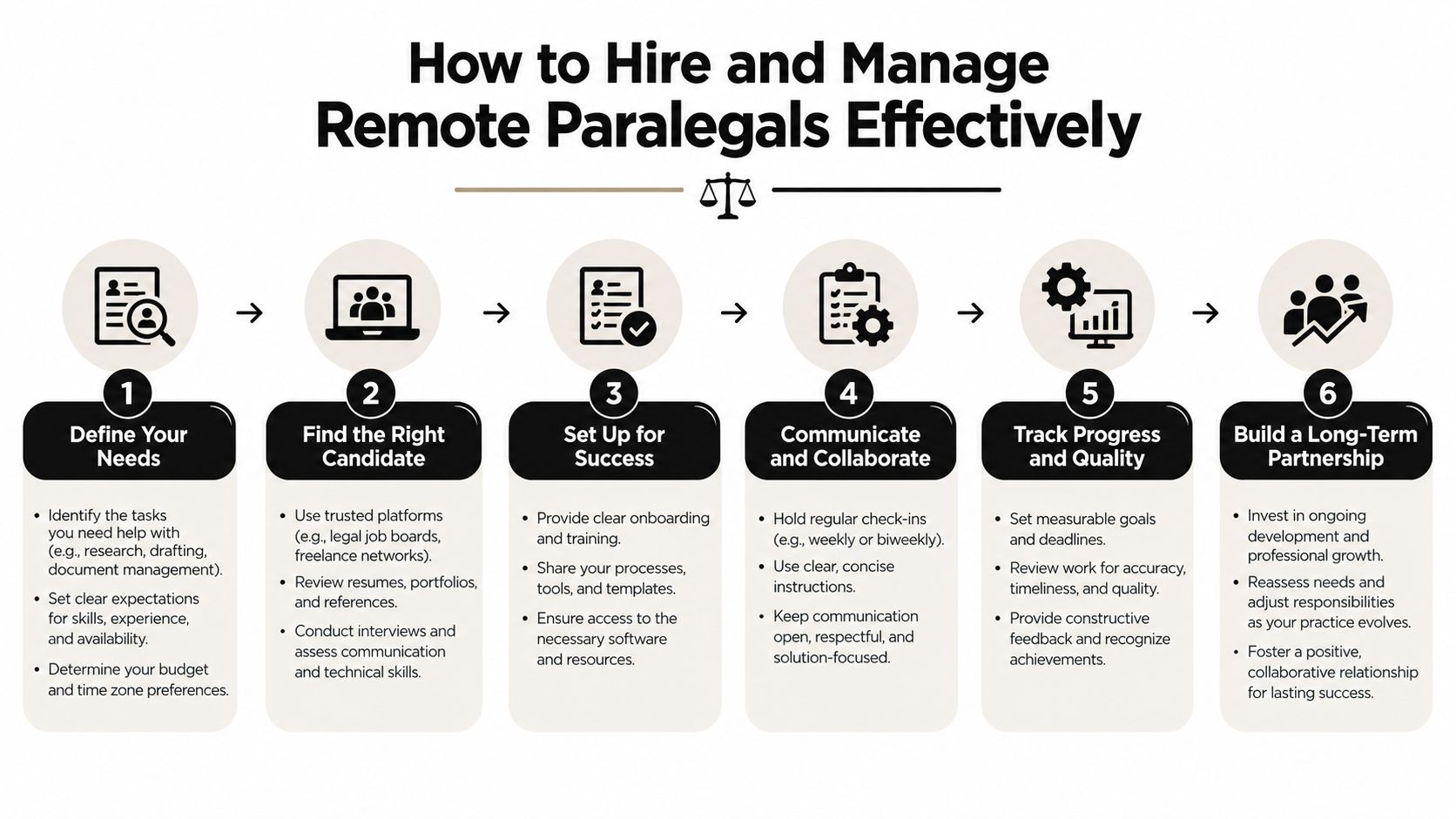
Start with the role, not the resume pile. A family law firm may need someone who can manage intake, client document collection, and court deadline tracking. A corporate practice may need document organization, signature packet coordination, and filing support. A litigation team may need records management and discovery assistance.
Write the role around actual outputs:
If those answers are vague, your hiring process will be vague too.
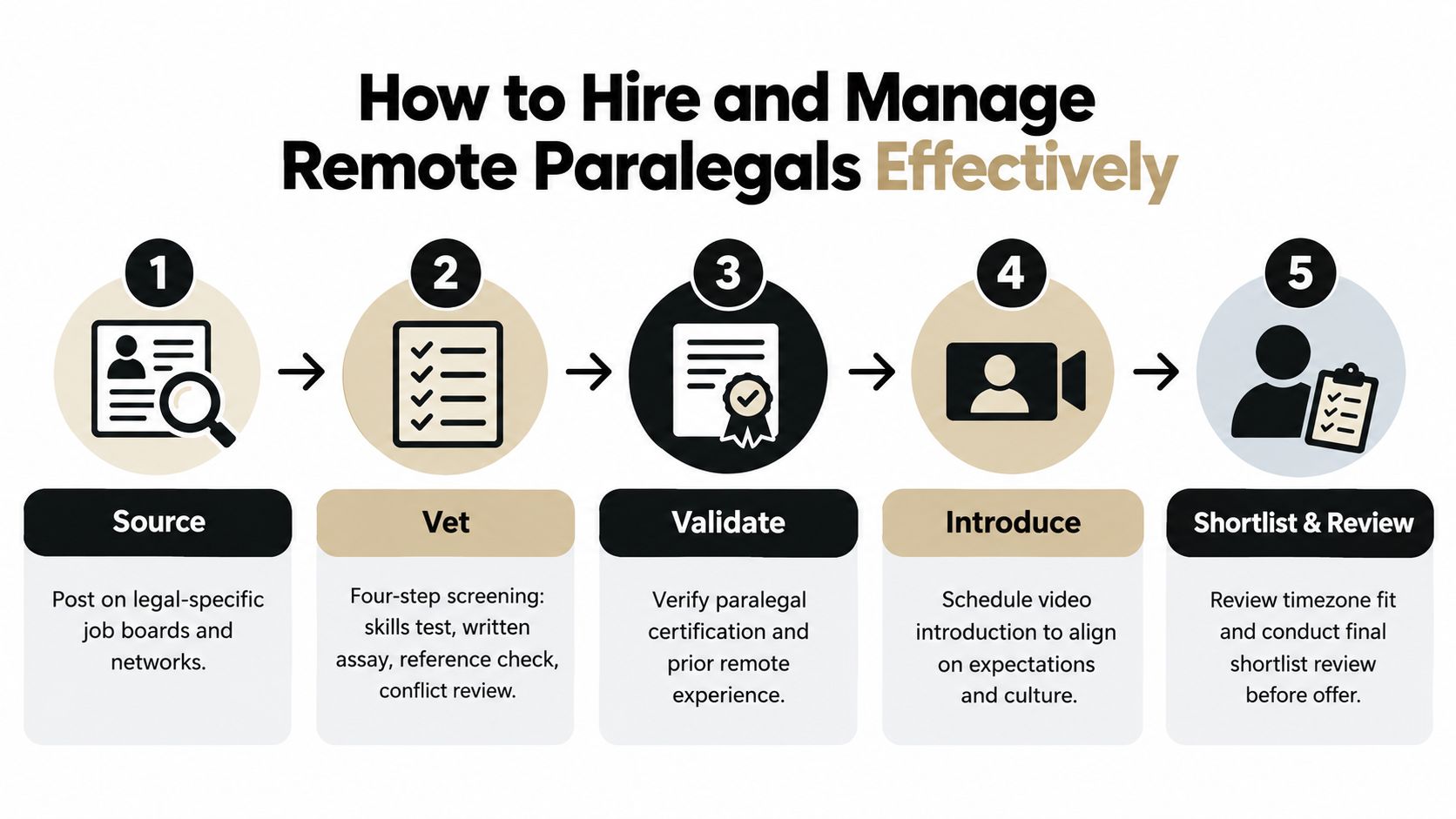
The hiring flow doesn't need to be fancy. It needs to be disciplined.
One operational option in this market is HireParalegals, which matches U.S. firms with remote paralegals, legal assistants, and junior legal professionals through a curated hiring process. Whether you use a platform or hire directly, the point is the same. Vet for legal workflow, communication, and reliability together.
A scorecard helps firms avoid hiring based on vague comfort. Here's a simple version:
| Category | What good looks like |
|---|---|
| Legal workflow | Understands deadlines, document handling, file organization, and escalation points |
| Written communication | Sends clear updates, asks precise questions, summarizes status accurately |
| Remote readiness | Has a private workspace, stable routines, and comfort with digital systems |
| Practice fit | Understands the pace and demands of the relevant matter type |
| Supervision fit | Responds well to structured review and doesn't hide confusion |
“Hire for clarity, not charisma. In remote legal support, a concise status update is often more valuable than a polished interview answer.”
Once hired, remote paralegals need concrete operating rules. Medical practices often use written telework agreements that define schedules, privacy conditions, internet reliability, response expectations, and what happens if performance slips, according to the American Academy of Family Physicians guidance on team telework. Law firms can apply the same management logic even though the underlying compliance framework is different.
A practical remote management package usually includes:
Many firms overcorrect. They either give too little structure or too much surveillance. Most remote legal staff do better with visible work queues, predictable check-ins, and clear quality review than with constant pings.
For onboarding, a formal process matters. A checklist-driven setup for logins, confidentiality rules, communication norms, templates, and first-week assignments reduces avoidable errors. This resource on how to onboard remote employees is a useful model for building that process.
The biggest blind spot in legal remote work is assuming that a written policy equals a real operating standard. It often doesn't. Firms may say they offer hybrid flexibility while expecting face time, immediate responsiveness at odd hours, or unspoken in-office attendance to stay in partners' good graces. That disconnect creates staffing confusion and retention problems. It also weakens compliance because people work around policy instead of within it.
A 2024 Thomson Reuters survey found that 53% of legal professionals said office policies were passively enforced and 41% said enforcement was moderate. The same report discussed a broader gap in which policy language and daily expectations don't always match, according to the Thomson Reuters report on law firm office attendance policies.
This shows up in simple ways. A firm may say a paralegal can work remotely, but then assign urgent paper-dependent tasks that require office presence. Or it may allow remote work on paper while supervisors judge commitment by who appears physically available. In both cases, the policy exists, but the workflow contradicts it.
That inconsistency matters because supervision obligations don't go away. California ethics guidance emphasizes managerial responsibility to implement reasonable policies and supervision in remote settings, and New York guidance points to both digital and physical confidentiality risks in home environments, as noted earlier in this article.
Firms don't get much value from a flexible policy if managers still run the team as though everyone is sitting outside their office door.
Operational gaps tend to cluster in a few places:
For wage and hour compliance, there's also a straightforward baseline. The U.S. Department of Labor states that employers must pay remote employees for all hours worked, including work performed at home or otherwise away from the employer's premises, even if the work was not specifically requested but was allowed or known by the employer, according to the Department of Labor announcement on compensable remote work time. That matters most for nonexempt support roles where after-hours messages and untracked work can create risk.
A workable remote governance model usually includes three layers:
| Layer | What the firm should define |
|---|---|
| Policy layer | Eligibility, approved work locations, attendance rules, hours, expense and equipment rules |
| Workflow layer | Task ownership, review procedures, response standards, deadline escalation |
| Control layer | Security settings, workspace rules, training, audits, and manager accountability |
The goal isn't to eliminate flexibility. It's to make flexibility legible. When the written policy, the actual workflow, and the supervision method line up, remote legal work gets much easier to sustain.
Legal remote work is now part of normal law-firm operations. The firms that benefit most from it don't treat it like a casual perk or a temporary accommodation. They define which roles fit, build clear workflows, supervise intentionally, and put confidentiality controls around the work.
Remote paralegals and legal assistants tend to add the most value when the work is digital, process-driven, and easy to review through shared systems. The weak points are rarely the idea of remote work itself. They're usually unclear expectations, inconsistent enforcement, and loose security habits.
If you're evaluating this model, start small and be specific. Choose one role, document the tasks, set communication rules, confirm your security controls, and decide how performance will be reviewed. If you're ready to explore vetted remote legal support, HireParalegals is one option to review alongside your internal hiring channels and existing recruiting process.
If your firm wants to test remote legal staffing without guessing at the workflow, start with one clearly defined support role and compare candidates against a written scorecard before you hire.