 14 minutes read
You're in the middle of a hearing scramble, three emails deep, and somebody just “updated” a date in their own calendar without telling anyone else. Now the file is late, the attorney is annoyed, and your afternoon has turned into damage control. That's not bad luck. That's a broken control system.
Paralegal calendar management isn't an admin chore. It's the difference between a firm that runs clean and a firm that spends its life explaining itself. The firms that stay out of trouble treat deadlines like ledger entries, not vibes, with verification, redundancy, and one named owner for every moving piece. Fancy? No. Boring? Absolutely. Effective? Like a seatbelt.
A lot of firms still run calendaring like it's a side quest. One paralegal enters the deadline, one attorney assumes it's covered, and everybody moves on until the court notice lands in the wrong inbox or a statute of limitations slips past because someone trusted memory over process. That's how disaster gets a parking spot.
The numbers tell the story. One 2026 analysis says rules-driven calendaring can recover roughly 40 staff hours per month at a litigation-heavy mid-size firm, and a related estimate for a five-attorney litigation practice handling 80+ active federal and state matters puts recovered time at 35–42 hours per month and more than $6,000 per month in billable capacity at a $175/hour blended rate. That isn't “productivity.” That's risk control with a paycheck attached. Source on the productivity and capacity impact of legal calendaring
The mistake is thinking a calendar is just a reminder tool. In practice, it's a record of what the firm owes, when it owes it, and who owns the next move. If that record is loose, the whole shop gets sloppy.

Practical rule: if a date matters enough to miss, it matters enough to verify.
That's why the strongest legal operations teams treat the calendar like a financial ledger. Every entry should be traceable, every change should be visible, and every deadline should have a backup path. Otherwise, you're just hoping the same person doesn't make the same mistake twice.
The old model was paper tickler files and one person keeping everything in their head. The modern model is software-assisted workflow management that centralizes deadlines, recalculates dates when case details change, and reduces missed-filing risk. That shift is the whole ballgame. If your firm still depends on institutional memory, it's one vacation day away from chaos. See also audit trail management for legal teams.
A matter lands, the intake is rushed, and the first missed date usually starts there. If your calendar process only starts after someone “gets around to it,” you are already building cleanup work for later.
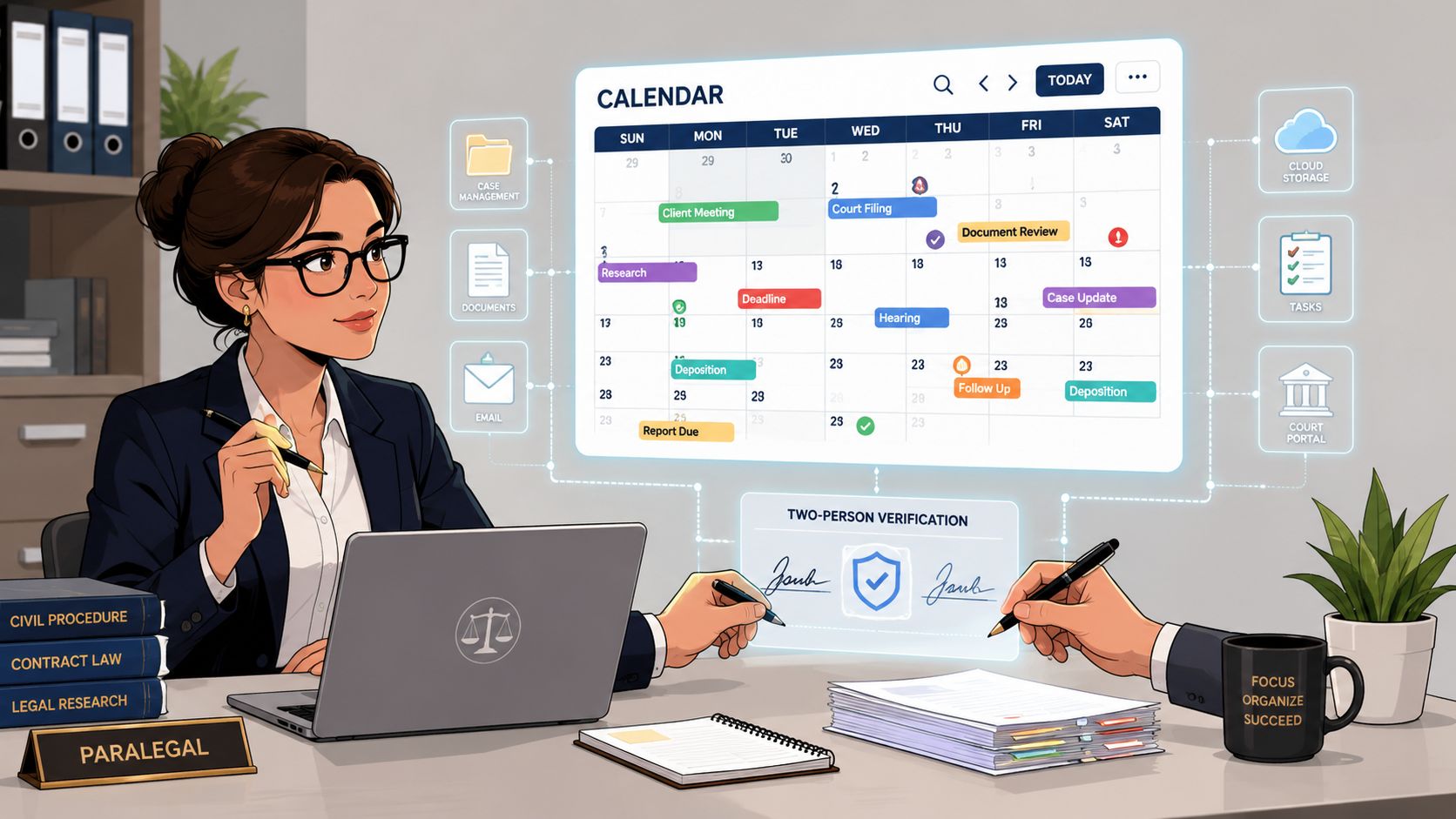
Set the workflow in this order. Pull every attorney's calendar items into one master calendar. Then update that calendar every time the matter changes. That is the spine of the system, and without it, the team ends up reconciling scattered notes instead of managing the work.
Get statutes of limitations into the calendar the moment a file is reviewed, not when the deadline feels close enough to create panic. The point is to build an advance-warning system, not a same-day fire drill. One long-standing legal-office method pairs a due date on the 15th with a reminder 5 days earlier, and that logic still works because it gives the team room to act. Calendaring and deadline management best practices for paralegals
A calendar that only tells you what is due today is a fancy alarm clock. A useful one tells you what is getting dangerous next.
The morning routine for a remote paralegal team should be plain and repeatable. One person opens the master calendar, reviews new court notices, checks pending deadlines, and confirms whether anything shifted overnight. A second person spot-checks the entries before anyone starts calling, drafting, or filing. That is how you keep a surprise hearing notice from taking over the day.
Court notices do not arrive on a neat schedule. Daily or every-other-day docket review keeps the team ahead of the mess. If people only check the calendar when they feel uneasy, the process is already too weak to trust.
A solid intake-to-update flow also needs a written procedure. That is where the process becomes repeatable instead of personality-dependent, and standard operating procedures for legal support work keep the calendar from becoming a private system only one person understands.
The shift is simple. Your calendar is not a storage bin for dates. It is a live operating document that should change as soon as case facts change, deadlines shift, or the court decides to be “helpful.” That is the difference between a controlled workflow and a guessing game.
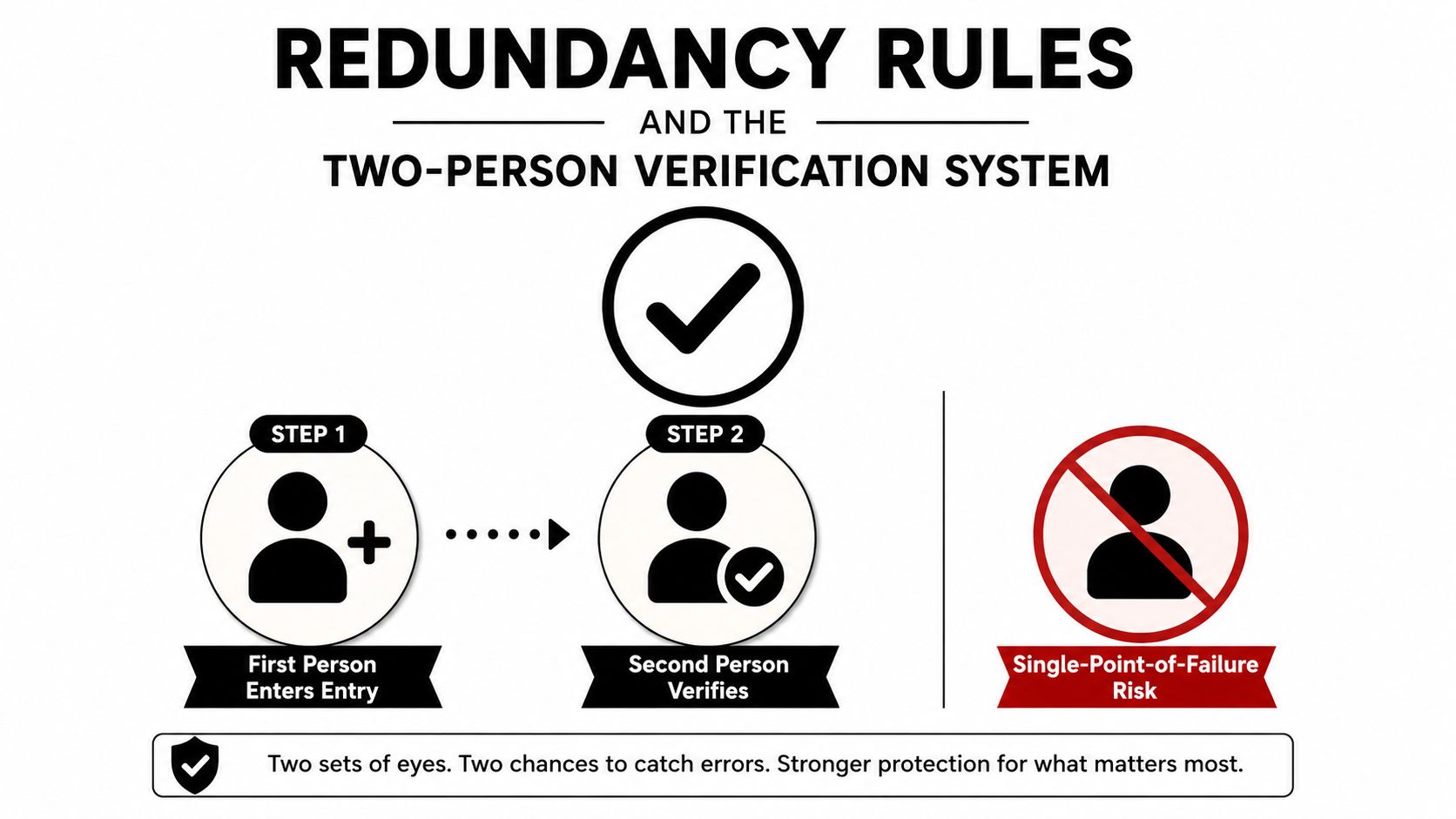
If one person can break the calendar, one person can break the firm. That's the uncomfortable truth nobody likes to say out loud until after the missed deadline email hits everyone's inbox.
A reliable legal calendar uses a two-person rule for every entry. One person enters the date. A second person verifies it. Then the deadline gets backed up in another format. That sequence is not glamorous, but it's how you reduce single-point-of-failure errors before they turn into malpractice fuel.
The risk-management logic is obvious. When one attorney, one paralegal, or one software sync becomes the only place a date exists, the system becomes fragile. Add a second human check and a second record, and the error surface shrinks fast. This is exactly why periodic backup printouts still belong in critical timelines, even now.
Here's the operational rhythm I'd trust:
That's not overkill. That's a seatbelt, a spare tire, and a tow truck.
People love to mock tickler files until the calendar sync goes sideways. Then suddenly those paper folders look smarter than the guy who said “we're fully digital now.” A classic legal-office model recommends 31 day folders for the current month, 31 for the next month, and 12 monthly folders so items surface before they become emergencies. Law office management basics for paralegals
| Calendaring control | Why it matters | What breaks without it |
|---|---|---|
| Two-person verification | Catches entry errors before they spread | One typo becomes a missed deadline |
| Tiered reminders | Creates lead time for prep and review | Everyone gets the alert too late |
| Backup format | Keeps timelines alive during sync failures | One system outage erases the record |
| Weekly attorney review | Forces accountability across the team | Errors sit untouched until they're urgent |
Weekly attorney-paralegal calendar reviews should be short, blunt, and boring. That's the point. If the meeting turns into a status theater performance, the firm has already lost the plot.
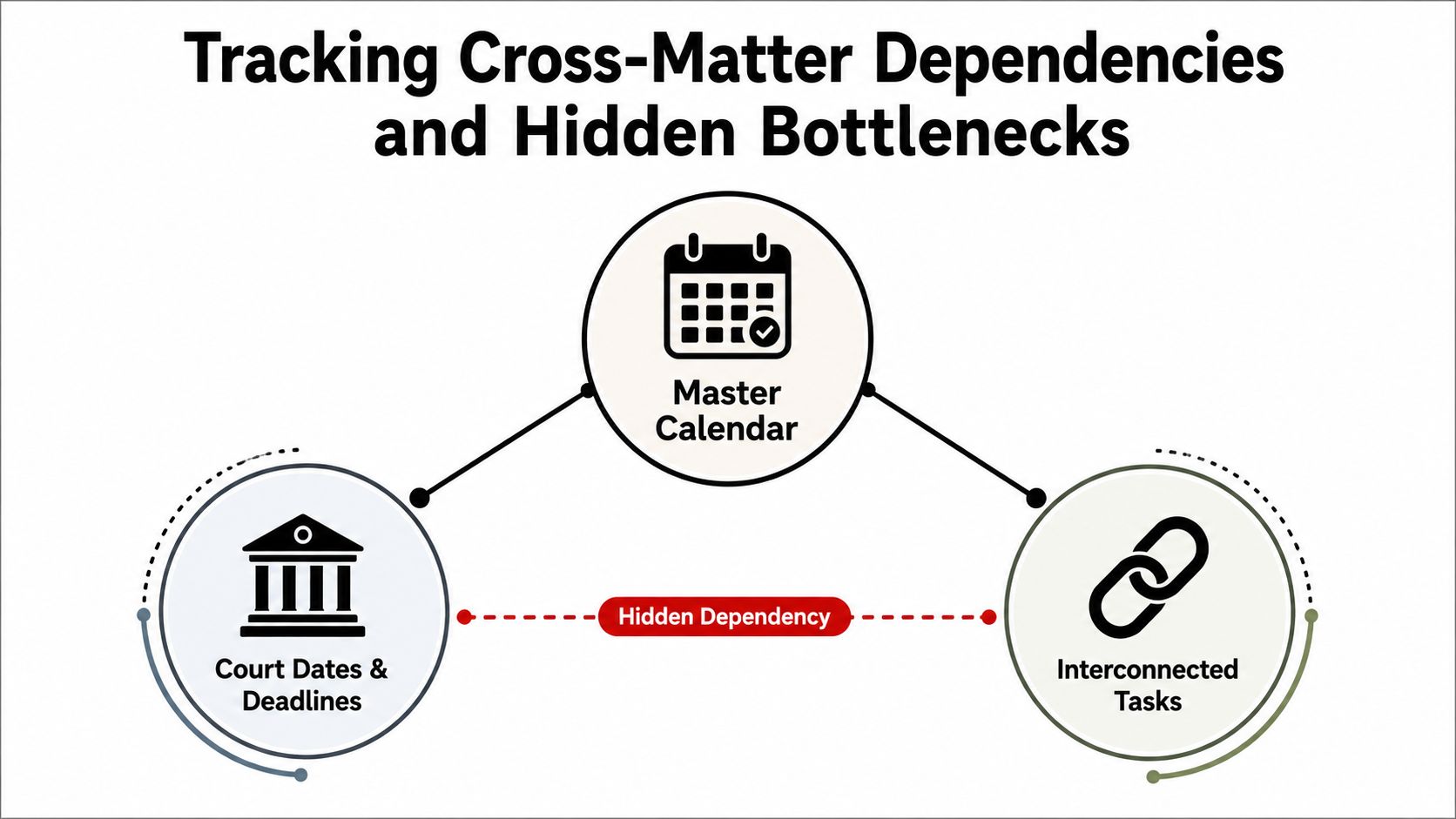
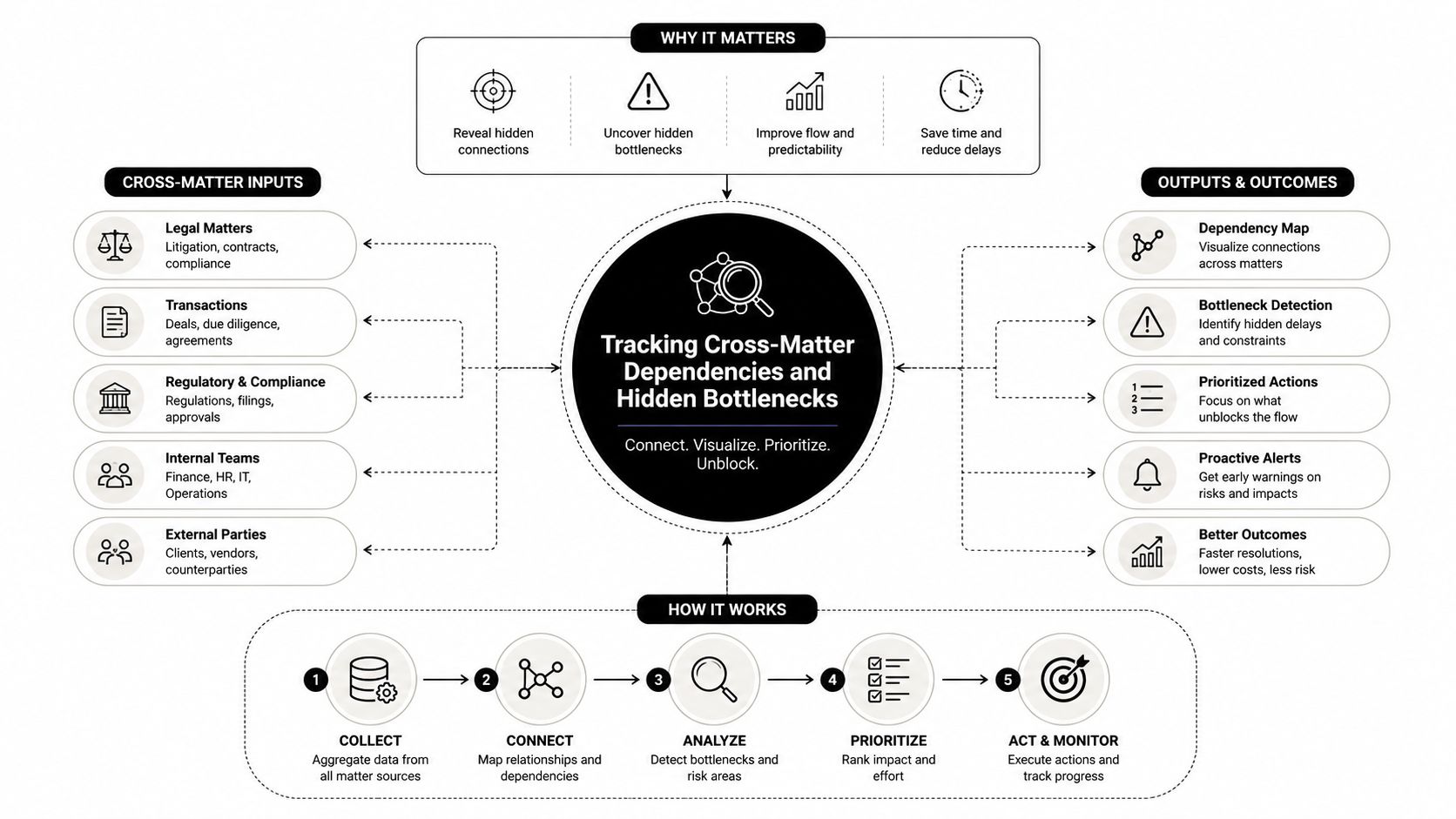
A date-based calendar only tells you when something is due. It doesn't tell you whether the thing can happen. That's the part too many firms miss, and it's where a lot of hidden delay lives.
Client documents. Opposing counsel responses. Attorney review. Court availability. These are not side notes, they're dependencies. If you don't track them separately, you'll keep asking why deadlines are “mysteriously” slipping when the answer is sitting right in the workflow.
The smarter model is to assign a named owner to each step, create a separate waiting status, record when the wait started, and review what's stuck versus what's due. That turns the calendar into a control system for handoffs and escalations, not just a list of dates. It's especially useful for remote and distributed teams, where a bottleneck can hide behind a polite email thread for days.
If a task is waiting on someone else, it's not done. Treat it like unfinished work, not background noise.
Most generic calendaring advice gets lazy. It says “keep your calendar updated,” which is fine, but useless unless the team knows whether a task is blocked, in review, or ready. The right question isn't “what's due next,” it's “what's stuck, and who owns the unblock?”
Court events aren't tidy little calendar blocks. Travel takes longer than expected, judges run late, parking turns into a comedy, and someone always needs one more document five minutes before call time. Your calendar should account for the full service time of an event, not just the slot on the docket.
Practitioner guidance increasingly leans toward multiple calendars, repeated communication, and buffer time because legal work doesn't behave like a clean production line. A hearing at 2:00 is rarely just a 2:00 event. It can eat the whole afternoon if you let it, and pretending otherwise is how support teams get overcommitted. How paralegals think about calendar buffer time and hidden dependencies
The best firms don't just calendar deadlines. They calendar the friction around deadlines. That's the difference between reactive support and actual operations.
A demo makes every platform look competent. Real litigation does not. The test is whether your tools keep working when a jurisdiction-specific deadline collides with a filing update, an attorney's travel schedule, and a paralegal trying to keep five matters from tripping over each other.
A practice management platform like Clio usually covers billing, client records, calendars, contacts, and document storage, and it can be a solid center of gravity for a busy firm. If your team needs tighter control over task stages, dependency mapping, and handoffs, a matter-management tool may fit better. A standalone docketing system is often stronger on deadline calculation. The right choice depends on what breaks most often in your shop, not which product looks cleaner on a sales call. A wider look at what a case management system should handle for legal teams helps separate real workflow support from slick packaging.
| Tool Category | Best For | Critical Integration | Common Failure Point |
|---|---|---|---|
| Practice management platform | Firms wanting one central system | Calendar sync with matters and billing | Duplicate entry and clutter |
| Matter/task management | Litigation workflows and handoffs | Task dependency linking | Great boards, weak legal rule handling |
| Standalone docketing | Deadline-heavy teams | Court rule databases | Sync gaps with internal calendars |
| Outlook-based setup | Small teams already living in email | Email-to-calendar automation | Hidden dependencies and no audit trail |
The key decision is whether the system survives actual litigation pressure. If it cannot handle jurisdictional variation, multiple users, and handoffs without breaking into a mess, it is not a serious choice. Workflow management software considerations for paralegals
Court rule databases matter. Email-to-calendar automation matters. Conflict-check triggers matter. Those tools cut errors and reduce manual chasing.
Test sync behavior with real data, not a polished demo matter. Ask what happens when two people edit the same field, whether custom matter codes map correctly, and how rollbacks work if a sync goes sideways. That is boring procurement work, which is exactly why it saves your bacon later.
For remote teams, timezone alignment and audit trails matter more than clever dashboards. Everyone needs to see the same deadline in the same place, with the same history attached. A distributed team can stay efficient, but only if the calendar is the source of truth instead of a rumor mill.
One option firms sometimes use is HireParalegals, which provides remote legal support talent that can include calendar-related coordination and scheduling work. That helps only if the firm keeps its verification discipline, because staffing flexibility does not replace a real workflow.
If you can't measure it, you can't manage it. That's not corporate poetry, it's just math wearing work clothes. Calendar management deserves the same discipline as billing or docketing, because once the misses become routine, the firm is already paying for them.
The KPIs worth watching are simple: missed-deadline rate, average reminder-to-action time, calendar entry verification rate, and dependency resolution speed. If those four numbers are ugly, the calendar process is ugly. If they improve, the firm gets quieter, which is usually how you know it's working.
Daily standups help high-volume litigation teams surface blocked work before it hardens into an emergency. Weekly calendar reviews with attorneys create shared accountability. Monthly audits catch system drift, duplicate entries, and recurring misses before they turn into a pattern. That's the whole rhythm, and it's a lot less dramatic than fixing mistakes after the fact.
Operational truth: most calendar failures are communication failures wearing a deadline costume.
The common failures are predictable. An entry exists in one system but not another. A reminder fires and gets ignored. A cross-matter dependency sits untouched because no one claimed ownership. Those are process failures, not bad luck.
| Trigger | First response | Escalation |
|---|---|---|
| Entry mismatch | Verify both calendars immediately | Notify attorney and backup owner |
| Reminder ignored | Reassign action and confirm receipt | Escalate in the daily standup |
| Dependency stuck | Update waiting status and record the blocker | Move to attorney review |
| Same issue repeats | Flag in monthly audit | Adjust SOP and ownership |
The point of an escalation matrix is not to be stern for sport. It's to make the next move obvious when the team is busy and nobody has time to debate whose turn it is. That's how you keep small misses from becoming expensive ones.
Start with the ugly truth. If your calendar system depends on one heroic person, you don't have a system, you have a dependency risk with a coffee habit. Fixing that doesn't take a miracle, it takes four focused weeks.
Audit every current calendar source, master calendar, personal calendar, tickler file, spreadsheet, whatever survived the chaos. Mark every single point of failure and every place where a deadline exists in only one location. Assign one owner to the cleanup so the project doesn't become a committee memorial service.
Put the two-person verification rule in place. Add tiered reminders for major deadlines. Back up critical timelines in another format. If a deadline only exists in one place after this week, the process isn't done.
Start tracking cross-matter dependencies. Add waiting status labels. Record when the wait began and who owns the follow-up. The calendar stops being a date dump and starts acting like a control system.
Set the KPIs, run the monthly audit, and formalize daily or weekly review meetings based on case volume. Then review what broke, what got caught early, and what still feels brittle. A redundant system that catches most errors beats a theoretically perfect one built on the hope that nobody ever has a bad day.
The first 90 days will feel a little fussy. Good. That means the firm is finally seeing its own weak spots instead of tripping over them in silence. Get the process stable, then make it faster.
If your current calendar setup still relies on memory, scattered reminders, or a single person who “just knows,” fix it now. Audit the workflow, build the redundancy, and make one owner responsible for every date that matters. If you want remote legal support that can fit into a more disciplined calendar process, start by mapping your current workflow and then assign the work where the process is already strongest.