 17 minutes read
A managing partner starts Monday by searching email for a statute reminder. A paralegal, working from her kitchen table, sends a draft pleading as an attachment. A client calls for an update, but the latest status sits in a spreadsheet no one opened after Friday. The problem isn't a lack of effort. It's that the matter's deadlines, documents, responsibilities, and communications don't share one dependable operating record.
Legal case management is the practice of organizing, tracking, and controlling every operational element of a legal matter in a single system. The software that supports it makes that practice repeatable across attorneys, paralegals, assistants, and clients. It connects intake, conflict checks, files, court dates, tasks, time entries, billing, communications, and closure so the firm can see what happened, what must happen next, and who owns it.
The concept grew from court-administration reforms that took hold in U.S. courts from about the 1970s onward, when formal scheduling, performance standards, accountability, and transparency replaced more ad hoc control by litigants and attorneys. Duke Law's discussion of the unified theory of case management also connects modern practice to earlier social-work and workers' compensation models. This guide explains the core components, follows a matter from intake to closure, separates case management from neighboring tools, and shows why the system becomes especially valuable for remote and distributed legal teams.
A legal matter can have the right people working on it and still lose control of deadlines, approvals, or client updates. Legal case management is the operational system for moving a matter from intake through resolution. It gives a firm one dependable place to record parties, assign responsibility, monitor deadlines, store documents, communicate with clients, capture time, issue bills, and report progress. The supporting platform should show what needs attention, identify the owner, and preserve the matter's working history.
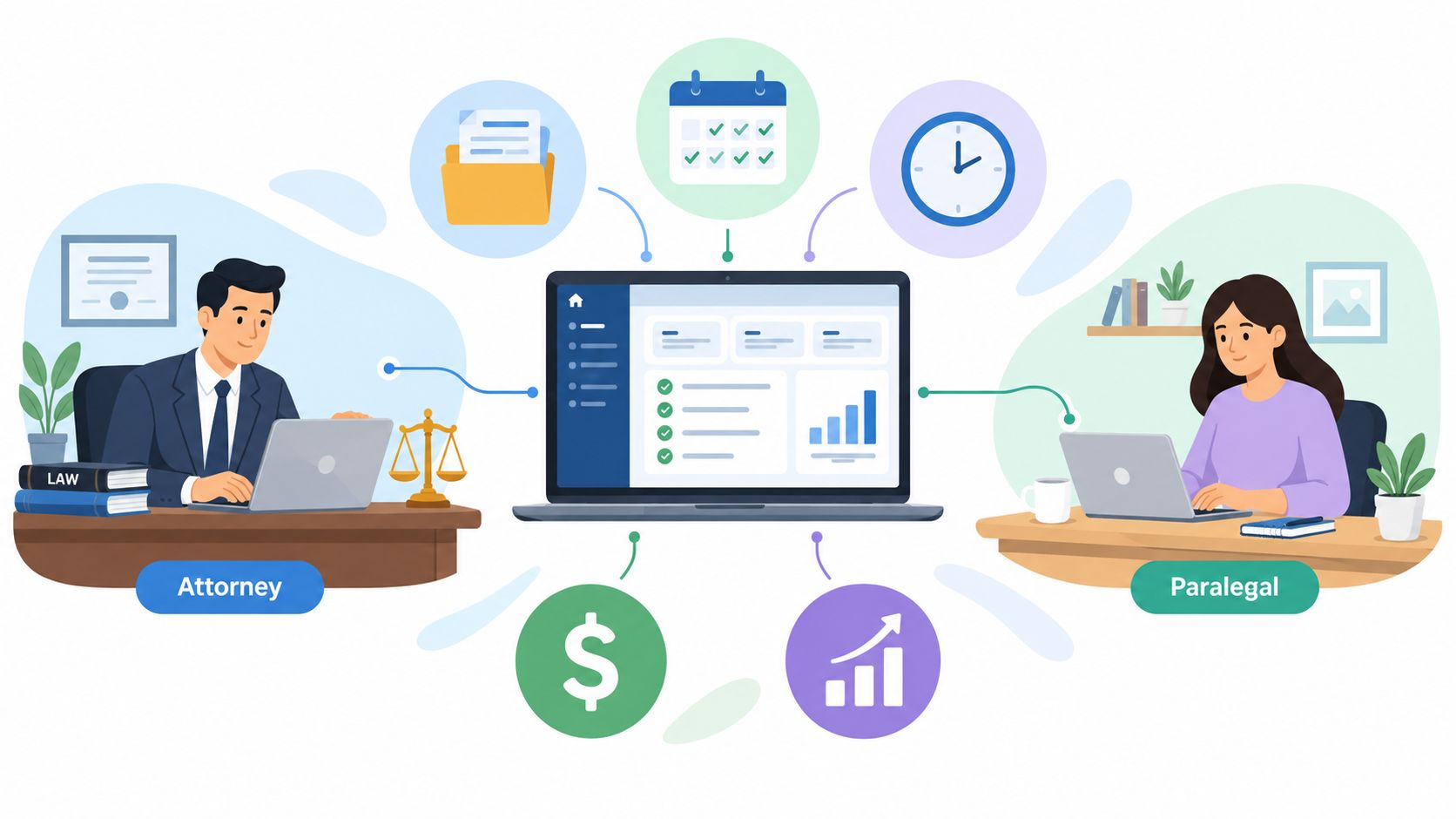
The system connects people who may work different hours or from different locations. A supervising attorney reviewing a brief at 9 p.m. and a paralegal updating discovery status from another state both need the same matter record, not parallel versions of it. Without that shared record, updates scatter across email, local folders, notes, and calendar entries. The result is often a missed handoff, duplicate work, or a search for the document that should have been easy to find.
A useful platform performs two jobs. It stores the matter history, including contacts, filings, correspondence, drafts, and invoices. It also moves work through templates, task assignments, deadline rules, approval queues, and notifications.
Consider a family-law matter at opening. The workflow might create a matter number, assign the responsible attorney, launch a conflict check, generate an engagement-letter task, and schedule standard follow-up activities. The exact sequence varies by practice, but the operating principle remains the same: the firm defines the repeatable sequence once, then the team works inside it.
Readers evaluating products should examine the features of a case management system against actual daily work rather than a vendor's feature count. Ask whether the system connects intake to matter opening, deadlines to responsible people, documents to versions, and time entries to billing without forcing staff to re-enter the same information.
Case management usually covers:
For a closer look at the concept in a firm workflow, see this explanation of a case management system for legal teams. The practical test is direct: if a team member must ask several people or search multiple applications to answer, “What is the next required action on this matter?”, the firm has a coordination problem that software alone will not fix.

Practical rule: A case management system becomes reliable when the firm treats the matter record as the place where work is assigned, updated, approved, and completed.
A modern platform centralizes the modules that otherwise sit in disconnected spreadsheets, inboxes, shared drives, calendars, and billing tools. The goal isn't to turn every process on at once. It's to decide which operational failures create the most risk or wasted time, then configure the system around those failures.
Intake should collect consistent information and reduce manual re-entry. A form can capture the prospective client, opposing parties, matter type, urgency, referral source, and relevant documents. Conflict screening should occur before the firm treats the inquiry as an accepted matter.
This workflow helps prevent a common failure: an inquiry lives in an inbox while staff separately create a folder, calendar event, and contact record. The firm then has several partial records and no clear ownership. A useful implementation makes the intake queue visible, records who reviewed it, and creates the matter only after the required checks and approval steps are complete.
Document management keeps the current draft findable and preserves the history of changes. That matters when an attorney reviews a pleading, a paralegal incorporates edits, and a contract attorney needs to confirm which version received approval. A file name such as “final-final2” is not a control system.
The same principle applies to client communications. Messages, call notes, requests for records, and approvals should be attached to the matter where the responsible team can find them. Secure messaging and client portals can reduce the need to search individual inboxes, but they don't remove the need for retention, permissions, and a clear communication policy.
A shared calendar is useful, but it isn't the same as a deadline-calculation workflow. A serious litigation configuration links a trigger date to the applicable deadline, records the source and assumptions, assigns review responsibility, and creates internal preparation tasks. Staff still need to verify dates against the governing court rules and local practice. Automation should support judgment, not replace it.
Task views show what is due, what is late, and where work is waiting for approval. Time capture and billing connect activity to the financial record, while work-in-progress reporting gives managers visibility before a monthly invoice cycle. Reporting dashboards can expose matters with no recent activity, unbilled time, overdue client documents, or workload concentrated on one paralegal.
Most firms should start with the workflows that carry the greatest operational exposure:
The trade-off is complexity. A platform with every module enabled may appear thorough during a demonstration but become burdensome in daily practice. Start with a small number of mandatory behaviors, measure adoption through actual records, and add integrations only when they remove a verified bottleneck.
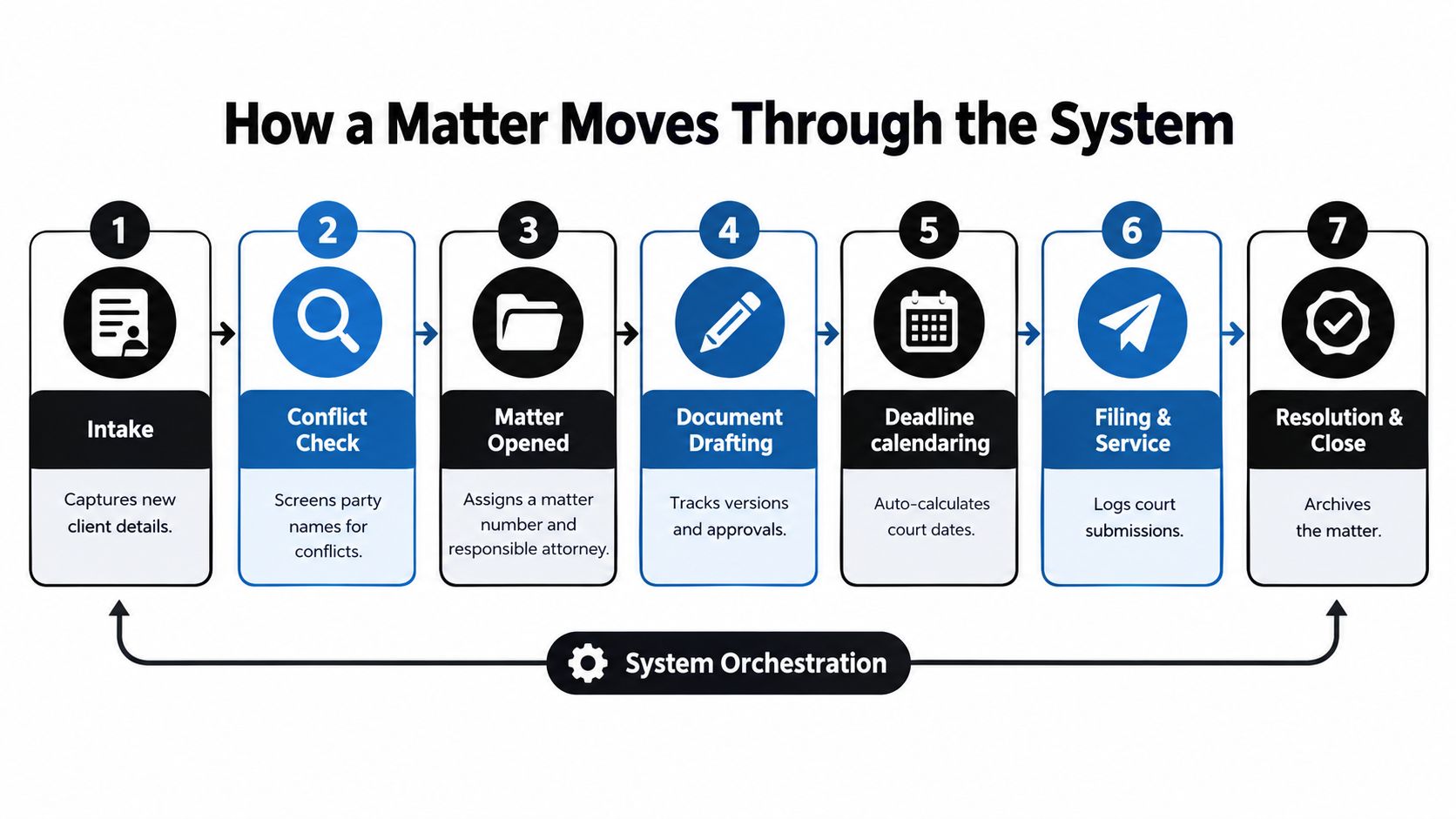
A matter begins before anyone drafts a pleading. A prospective client submits an online form or speaks with an intake professional. The system captures the basic facts, identifies the parties, records the inquiry source, and places the request in a queue for review. An intake coordinator can ask for missing information without creating a separate spreadsheet, while the responsible attorney can see the inquiry's status and decide whether it should proceed.
The next gate is the conflict check. The firm searches the names and related entities, records the result, and documents any required review. Once the matter is cleared and accepted, the system creates the matter record, assigns the responsible attorney and supporting staff, and starts the engagement workflow. That may include an engagement letter, initial client documents, payment instructions, and a task for confirming the scope of representation.
The paralegal then uses the matter record to request documents, log receipt, and identify gaps. The attorney may draft an initial pleading from a template, while the paralegal prepares exhibits and routes the package for review. Version history matters here because remote contributors need to see the approved draft without asking which attachment is current.
The platform can create tasks for filing, service, discovery responses, deposition preparation, and hearing preparation. Each task needs an owner, a due date, and a meaningful status. “In progress” shouldn't become a permanent hiding place. A good practice uses statuses that explain the next action, such as “waiting for client,” “ready for attorney review,” or “filed, service confirmation pending.”
As the team works, time entries attach to the matter instead of remaining in separate notes. The billing workflow can then use the recorded work, approved rates, expenses, trust information where applicable, and invoice status. The firm should decide who reviews entries, how corrections are handled, and when an invoice is ready to issue.
Closure is a controlled stage, not a folder someone stops using. The responsible attorney confirms the outcome, staff verify that required documents and billing actions are complete, and the firm applies its retention and archive policy. The record should show the closing decision, unresolved obligations, and the location of the archived material.
Distributed work changes the handoff pattern rather than the legal responsibility. A paralegal in another time zone can update the matter status, attach a received record, and route a draft to an attorney's review queue. The attorney can approve or return it with a recorded comment. The firm gains continuity because the work survives the gap between people's working hours.
These terms overlap, but they don't describe the same responsibility. Case management is the broad operating layer for legal work. Matter management focuses on the engagement and its status. Document management controls the files themselves.
A case management platform may include matter and document functions, or it may connect to dedicated systems. The right architecture depends on practice area, document volume, security requirements, existing investments, and the firm's tolerance for moving between applications.
| Dimension | Case Management | Matter Management | Document Management |
|---|---|---|---|
| Primary purpose | Coordinates the work of a legal matter from intake through closure | Maintains the engagement record, parties, status, ownership, and key events | Stores, retrieves, versions, and protects files |
| Typical data | Tasks, deadlines, communications, time, billing, reports, and workflow status | Matter number, client, opposing parties, responsible attorney, practice area, and resolution status | Drafts, exhibits, pleadings, correspondence, metadata, and version history |
| Main user question | What must happen next, who owns it, and is the matter moving? | What is this matter, who is responsible, and where does it stand? | Which file is current, who changed it, and where is the approved version? |
| Integration needs | Email, calendars, accounting, e-signature, portals, and document repositories | Intake, conflicts, client records, and reporting | Office applications, email, storage, search, access controls, and retention |
| Common failure | A firm buys a task tool that doesn't understand legal deadlines or billing | Staff treat a matter profile as a complete workflow and miss operational actions | Users save files outside the repository, creating uncontrolled copies |
The distinction becomes practical during an audit. If a firm can locate every pleading but can't tell who must prepare the next filing, it has a workflow gap, not a document-storage gap. If attorneys know the task owner but can't find the approved exhibit, the document layer needs attention.
A dedicated document platform may be appropriate for document-heavy practices, while a unified case management product may be easier for a smaller firm that needs one operating record. Review this guide to document management software for law firms when comparing repositories, version control, search, permissions, and integrations.
Don't use a CRM as a substitute for active case management. A CRM can track leads and relationships, but it generally doesn't run court deadlines, discovery tasks, filings, time entries, or matter closure. Firms may use both, provided ownership and synchronization rules are clear.
Remote legal work fails when the firm treats email as the workflow engine. An attorney forwards a draft to a paralegal, the paralegal saves it locally, an assistant updates a separate calendar, and the client asks for an answer before anyone has recorded the current status. Case management gives distributed staff a shared queue, matter history, and assignment structure that doesn't depend on hallway conversations.
Consider a paralegal working in another state. She updates a calendaring entry, attaches a filing receipt, and marks a task ready for attorney review. The supervising attorney sees the same record later, reviews the document, and returns an approval or correction without reconstructing the handoff from an email chain. The system preserves the action, the responsible person, and the status.
Role-based permissions determine what each person can view, edit, download, or approve. An outsourced intake specialist may need access to new inquiries but not sealed litigation documents. A contract attorney may need matter-specific documents and tasks without broad access to the firm's entire database.
Audit trails add accountability. They should show meaningful activity, such as who changed a deadline, uploaded a document, altered a status, or approved a communication. Mobile access can help attorneys review a matter away from a desk, but mobile convenience shouldn't weaken authentication, access restrictions, or confidentiality practices.
Remote workflows also require a deliberate policy for sensitive information. For medical records, employment files, financial information, or other protected client material, the firm should define approved devices, secure connections, storage locations, printing rules, and incident reporting. Legal confidentiality obligations and contractual requirements can vary, so confirm the firm's controls with qualified counsel or a compliance professional.
Before deployment, verify that the platform supports:
The temptation to recreate email and chat inside the new system is strong. Use messaging for quick coordination, but record decisions, approvals, deadlines, and substantive client instructions in the matter record. Otherwise the firm has purchased a shared system while continuing to operate through private channels.
Remote staffing can work well when responsibilities are explicit. A remote legal case manager may coordinate client communications, requests for records, deadline follow-up, and matter status, but the role doesn't replace attorney judgment or licensed legal work. Firms using an outsourced intake or paralegal model should define escalation points, approval authority, and access boundaries before the person receives matter access. HireParalegals is one example of a platform offering remote legal support roles, including legal case managers and paralegals for law-firm workflows.
The right platform is the one that fits the firm's actual work and can be adopted without weakening controls. A solo practice may value a short setup path and a unified intake, calendar, document, and billing workflow. A small firm may need stronger delegation, reporting, and client communication. A larger or multi-office firm may prioritize granular permissions, integrations, governance, and data export.
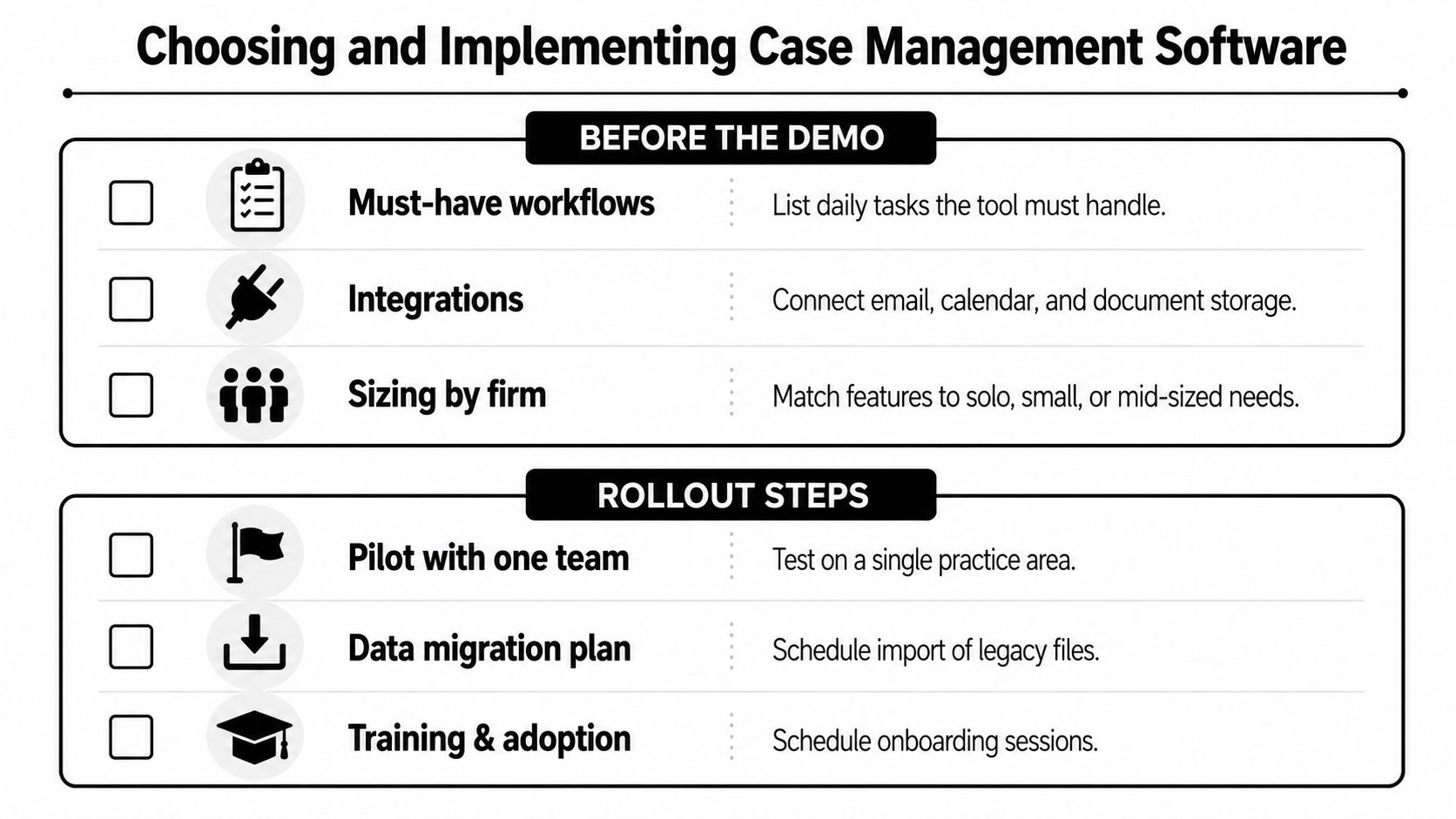
Write down the workflows the software must handle before speaking with vendors. Use real examples, such as opening a new personal-injury matter, calculating a discovery deadline, routing a draft for approval, issuing an invoice, and closing a case.
Then document the surrounding stack:
Ask the vendor to demonstrate your workflow with your language and roles. A polished generic demo can hide a poor fit. Test what happens when a client sends an incomplete form, a deadline changes, an attorney rejects a draft, or a staff member leaves the firm.
Begin with a pilot group and a defined matter type. Migrate a manageable sample, configure the minimum required fields and tasks, and observe where staff create workarounds. Fix those friction points before expanding to another practice group.
A phased rollout usually includes:
Data migration deserves particular attention. Moving only active matters may be sensible, but the firm needs a controlled plan for historical files, archived records, contacts, billing information, and documents stored outside the old system. A half-migrated repository can leave staff checking two systems and undermine confidence in the new one.
During the first months, review whether staff are using the behaviors that make the platform valuable:
The legal case management software comparison should support this evaluation, but no comparison list can replace a workflow test. Also assess the vendor's onboarding, support, security documentation, contract terms, data export process, and ability to configure the system without constant custom development.
Legal case management is the operational layer that turns scattered matter data, deadlines, documents, and team activity into one coordinated system. It consolidates intake, conflict checks, document handling, calendaring, task assignment, communications, billing, and reporting under a matter record that the firm can manage from opening through closure.
For remote and distributed paralegal teams, that record replaces informal handoffs with shared assignments, permissions, version history, and audit trails. The system doesn't replace attorney strategy, legal judgment, or licensed work. It gives those professionals a clearer operating environment and gives managers a better way to identify stalled matters, unclear ownership, and incomplete records.
Audit your current workflow before evaluating products. Identify the two or three problems that hurt the firm most, whether those are missed court dates, orphaned documents, slow intake, or untidy billing, and test platforms against those gaps rather than feature lists. Case management is now a baseline control point for risk, responsiveness, and coordination between attorney strategy and administrative execution.
If missed handoffs or overloaded staff are slowing your matters, review one live workflow from intake through closure and list every manual transfer. Then compare that list with the capabilities your firm needs. For additional remote legal support, you can explore HireParalegals' curated case-management and paralegal staffing options at hireparalegals.com.